The short answer
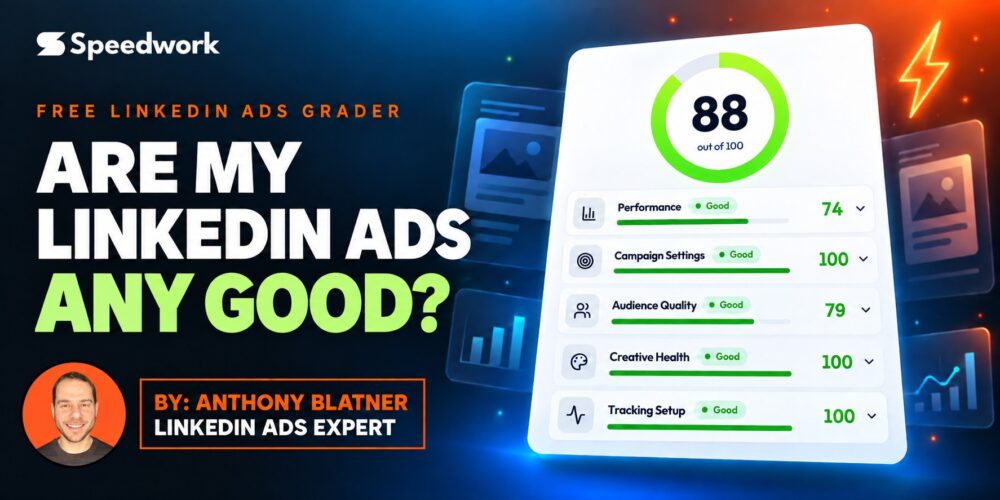
Compare your results to LinkedIn benchmarks for your specific ad format, objective, and region, then check five areas: performance, campaign settings, audience quality, creative health, and tracking setup. You can do this by hand, or get a graded report card in about 60 seconds with our free LinkedIn Ads Grader.
“How do I know if my LinkedIn ads are any good?” is the first question almost every B2B marketer asks after launching a campaign. Campaign Manager shows you plenty of numbers, but no context. Is a 0.5% click-through rate great or terrible? Is a $14 cost per click high? Which campaigns are quietly draining your budget?
Here is how we answer it at Speedwork Social, based on over $100 million in LinkedIn ad spend across more than 500 companies.
What should you compare your LinkedIn ads against?
Raw numbers are meaningless without the right benchmark. A Video campaign and a Single Image lead gen campaign should never be judged by the same click-through rate. Neither should a campaign in North America and one in APAC.
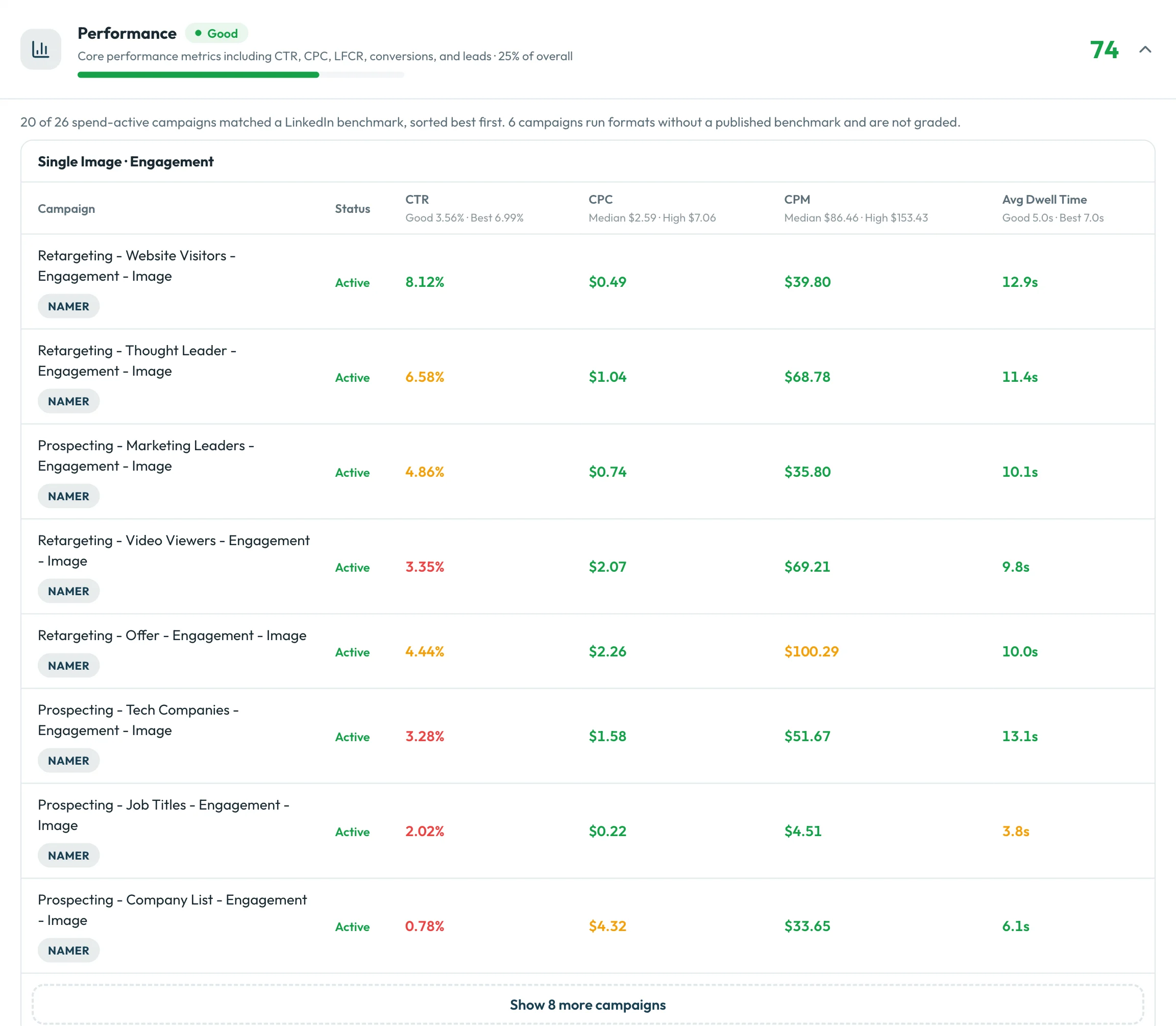
Always compare against LinkedIn benchmarks for your format, objective, and region (we break the current numbers down in our LinkedIn ads benchmarks guide). The metrics that matter most:
- Click-through rate (CTR) against the benchmark for your format
- Cost per click (CPC) and cost per thousand impressions (CPM) against typical costs for your region
- Lead form completion rate for lead gen campaigns
- Dwell time, meaning how long people actually spend with your ads
A CTR that is excellent for one format can be weak for another. The same goes for cost: a CPC that looks high may be normal for your market, and one that looks cheap may hide low-quality placements. For typical ranges, see how much LinkedIn ads cost.
Which campaign settings waste the most LinkedIn ad budget?
Two settings show up turned on in account after account:
- LinkedIn Audience Network: sends spend to placements outside LinkedIn that rarely drive B2B pipeline.
- Audience expansion: widens your targeting beyond the ideal customer profile you carefully built.
Neither is always wrong, but both default to on, and most teams never make a deliberate choice about them. Bidding strategy is next. Manual bidding gives you the most control over what you pay, while automated bidding can overspend on accounts without strong conversion data. Here is how we choose between them: the best bidding strategies for LinkedIn ads.
How can you tell if your targeting is right?
Check that your audiences match your ideal customer profile, that your geography is where your buyers actually are, and that your targeting is precise rather than broad. Audiences that drift away from your ICP are one of the most common reasons strong-looking click-through rates never turn into pipeline. Our guide to LinkedIn ad targeting covers how to build audiences that match your ICP.
How do you know if your LinkedIn ad creative is healthy?
Creative health is about giving LinkedIn enough to work with. Look for:
- Enough ads per campaign so LinkedIn can rotate and learn which ones perform
- A mix of formats, such as single image, video, and document ads (here are the most effective LinkedIn ad formats)
- Fresh creative, since the same ads shown to the same audience for months lose their effect
A cheap click that never converts isn’t cheap. Healthy creative, paired with the engagement metrics above, tells you whether your message and offer are landing.
Is your LinkedIn conversion tracking set up correctly?
If LinkedIn can’t see your conversions, you can’t optimize for them, and neither can LinkedIn’s bidding. Confirm the Insight Tag is installed and firing (here is how to add the LinkedIn Insight Tag), and that your conversion rules are active and actually recording conversions. If you use Google Tag Manager, see how to set up LinkedIn event conversion tracking. Tracking is the least exciting part of an account and the most important.
How do you find which campaigns need attention first?
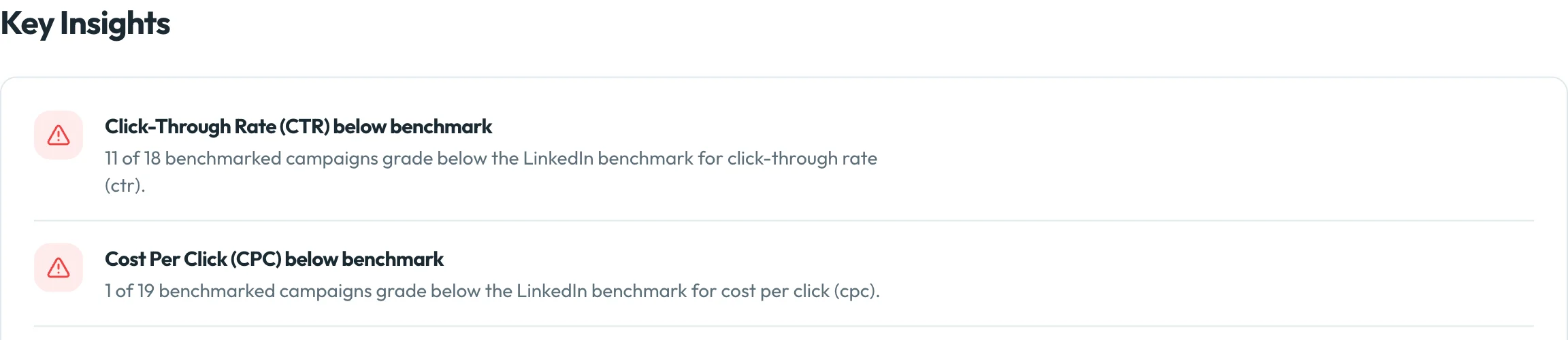
In a large account, the problem is rarely that everything is broken. It’s usually a handful of campaigns dragging the average down. The skill is finding them quickly and prioritizing the fixes with the biggest impact. If you want a head start, these are the most common LinkedIn ads mistakes we see.
Is there a free tool that grades LinkedIn ads?
Yes. We built the LinkedIn Ads Grader at gradeyourads.com to run every check above automatically.
Connect your LinkedIn ad account, tell it about your ideal customer profile, and in about 60 seconds it grades your last 90 days of activity. You get an overall account score out of 100, graded against LinkedIn benchmarks for your region.
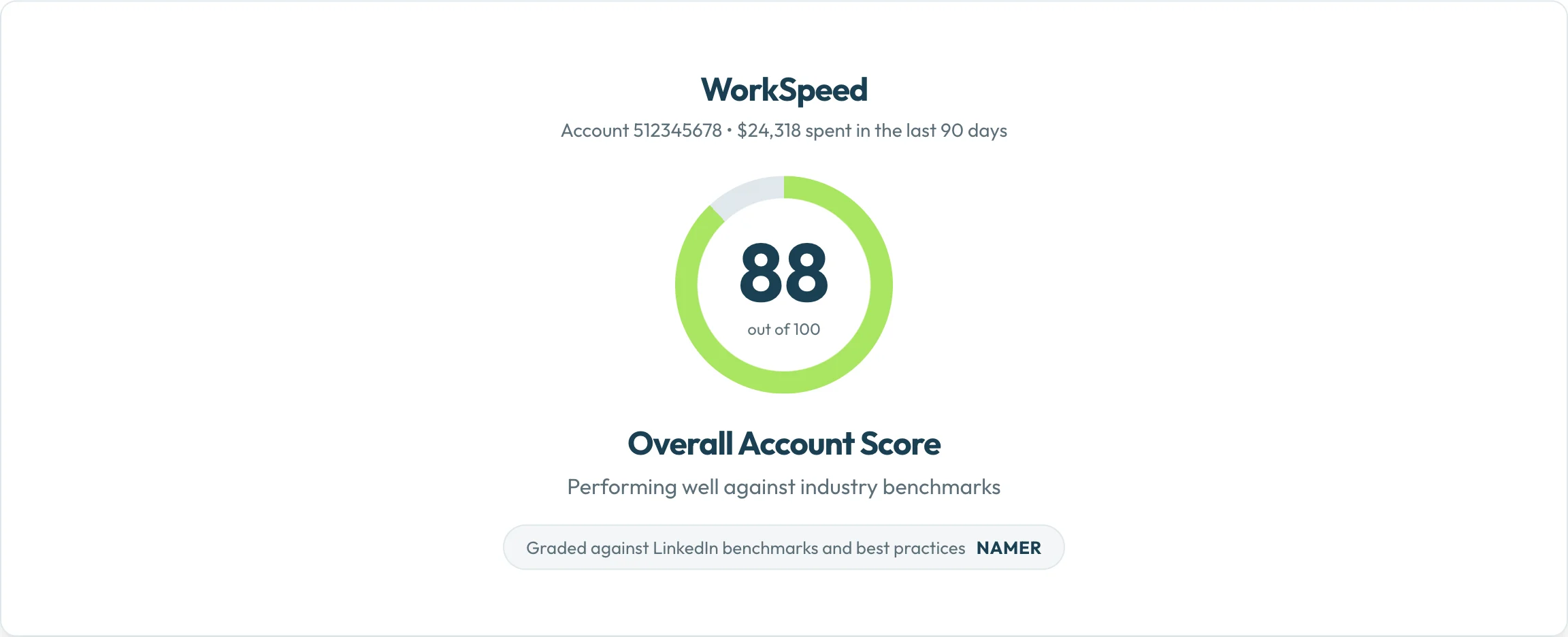
Then you get a score and a grade (Good, Needs work, or Needs attention) for each of the five areas:
- Performance: CTR, CPC, lead form completion rate, conversions, and leads against benchmark
- Campaign Settings: bidding strategy and targeting settings like Audience Network and audience expansion
- Audience Quality: targeting accuracy and geography
- Creative Health: format diversity and freshness
- Tracking Setup: the Insight Tag and conversion rules
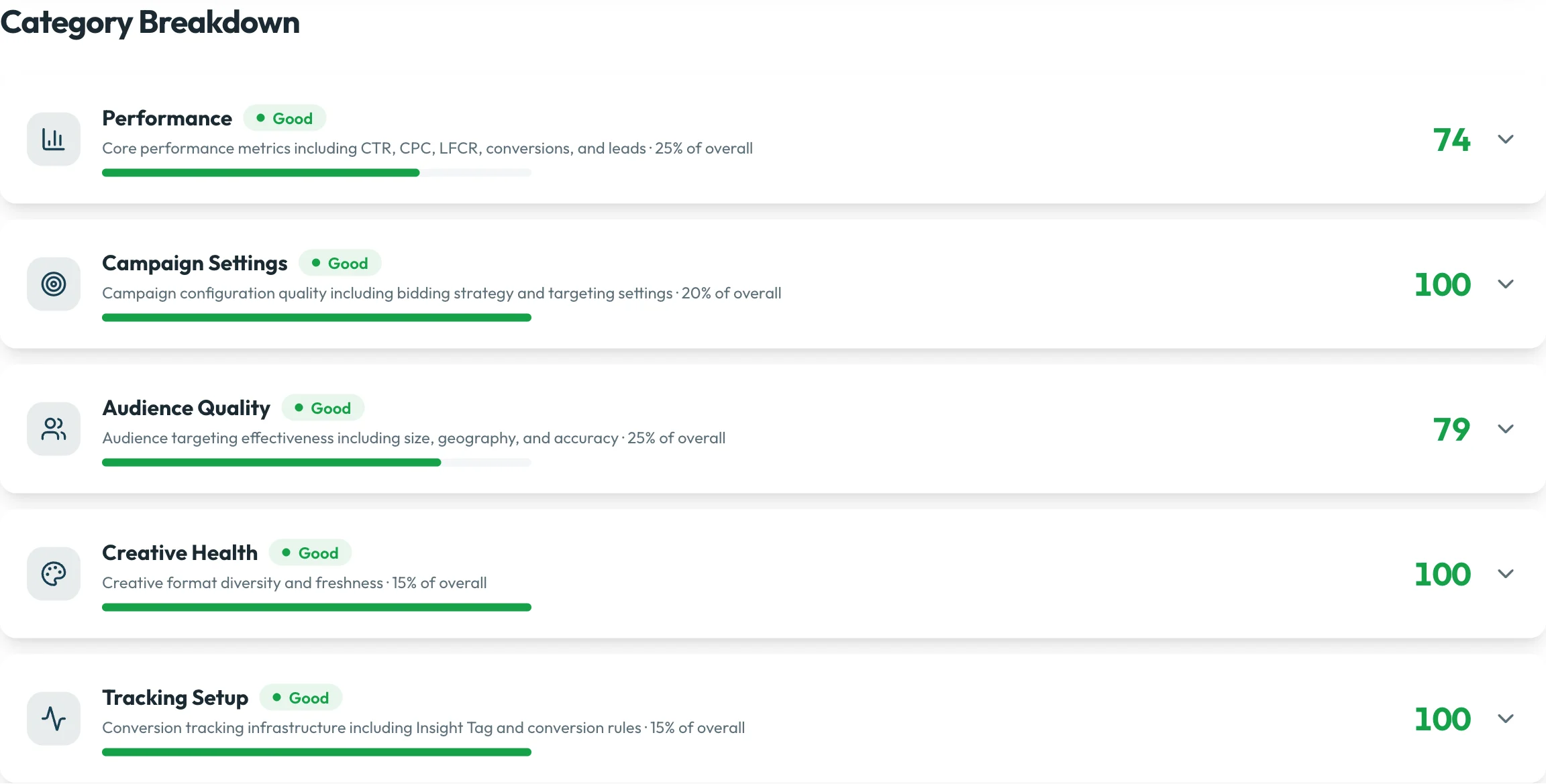
Open any area to see exactly which campaigns and ads need attention, along with prioritized recommendations on what to fix first.
There’s no sales call, no credit card, and no “book a demo to see your results.” Access is read-only, so the grader can see your performance data but can never change your campaigns.
Grade your LinkedIn ads for free
Frequently asked questions
Is the LinkedIn Ads Grader really free?
Yes. There’s no credit card and no sales call required to see your results.
Can the grader change my campaigns?
No. It uses read-only access to your LinkedIn ad account, so it can see performance data but cannot edit, pause, or create anything.
What data does the grader look at?
Your last 90 days of LinkedIn ads activity, compared to LinkedIn industry benchmarks for your ad format and region.
How long does it take?
About 60 seconds after you connect your account.
What are the five areas it grades?
Performance, Campaign Settings, Audience Quality, Creative Health, and Tracking Setup. Each gets a score out of 100 and a grade of Good, Needs work, or Needs attention, and together they make up your overall account score.
Is the LinkedIn Ads Grader made by LinkedIn?
No. It’s an independent tool built by Speedwork Social. It is not affiliated with or endorsed by LinkedIn. LinkedIn is a trademark of LinkedIn Corporation.
What if I want a deeper review?
A strategist from our team can do a full LinkedIn ads audit, covering targeting, creative, funnel, and attribution. If you’d rather hand off the program entirely, see our LinkedIn Ads management services.
Who built this
We are Speedwork Social, a LinkedIn ads agency in Austin, Texas. The grader runs on the same framework and benchmarks we use across every account we manage. We built it because “are my LinkedIn ads any good?” deserves a real answer, not a sales call.