For B2B Products/Services — Fill Your Sales Pipeline and Stop Wasting Time on Unqualified Leads.
Does your company rely on lead gen to sell a B2B product or service?
Is your target customer in a very specific industry, company size, or even job?
Most teams I talk to are struggling with weak, unqualified leads that are wasting your time — some people may be filling out your form or downloading your guide, but they’re really not your target customer…
They’re just an average joe who’s kicking the tires… and your sales team is frustrated chasing bad leads because it’s killing their numbers.
Many companies have this issue… and it’s because they’re pulling from the wrong traffic.
Even worse, attracting the wrong traffic is training your tracking & analytics to the wrong kind of customer. If you’re getting unqualified leads, then you can’t trust the demographic & interest insights from tools like Google Analytics or the Facebook Pixel.
“It looks like most of our website traffic are Men 25-30 in California… that must be who’s interested…” — No! Those are just the unqualified people you’re pulling from Facebook. This is toxic to your future audience targeting, lookalikes, and reporting.
Honestly, most B2B products/services have an extremely specific customer profile. Most people in the general population are not a good fit… but you need to cherry-pick the ones that are.
So, that’s why we’re talking about LinkedIn lead generation funnels today… to build you the RIGHT system and fill your pipeline with REAL business.
LinkedIn’s social network is proving to be an extremely effective lead gen source for B2B products/services. The targeting capabilities and business data available are gold. While the interface and algorithms are not nearly as sophisticated as Facebook & Google’s… you don’t need algorithms when you’re already speaking to the perfect crowd.
Here’s how we generate leads on LinkedIn…
STRATEGY
The Funnel
We start with a basic lead generation funnel, shown below. LinkedIn lead gen is only the first step — the end goal is to generate new business — so we architect the next steps along the customer journey… which may be an appointment booking, or maybe an account registration and free trial sign-up.
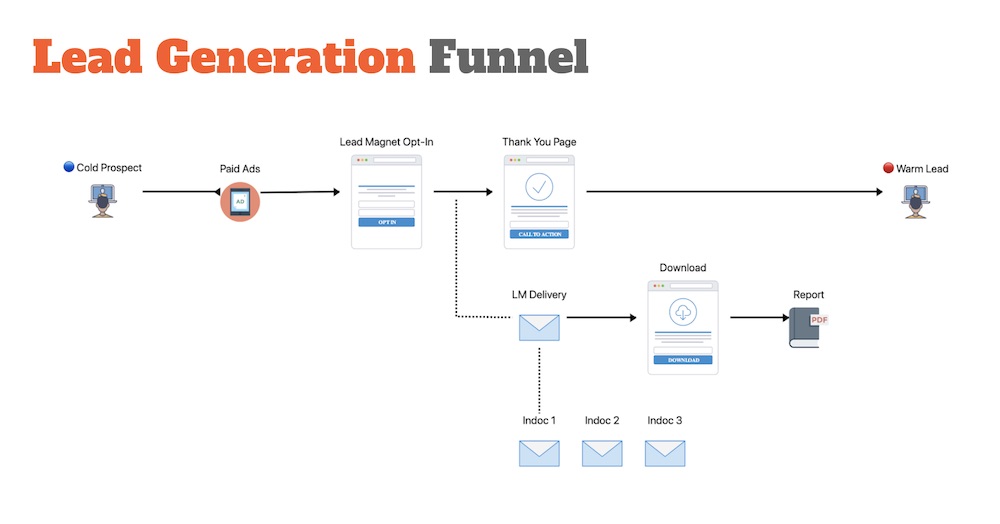
An effective funnel is a beautiful thing.
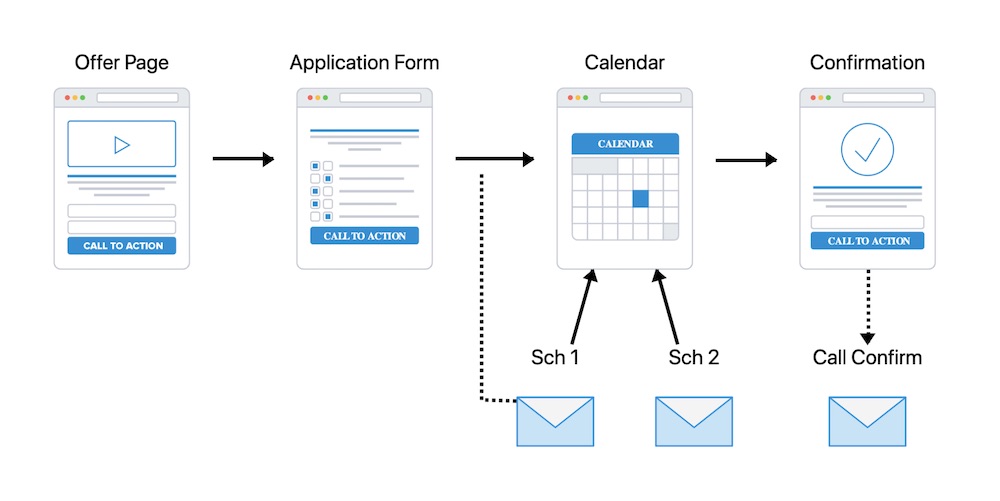
Yes, your prospects will come to you and book a call… so much better than cold calling!
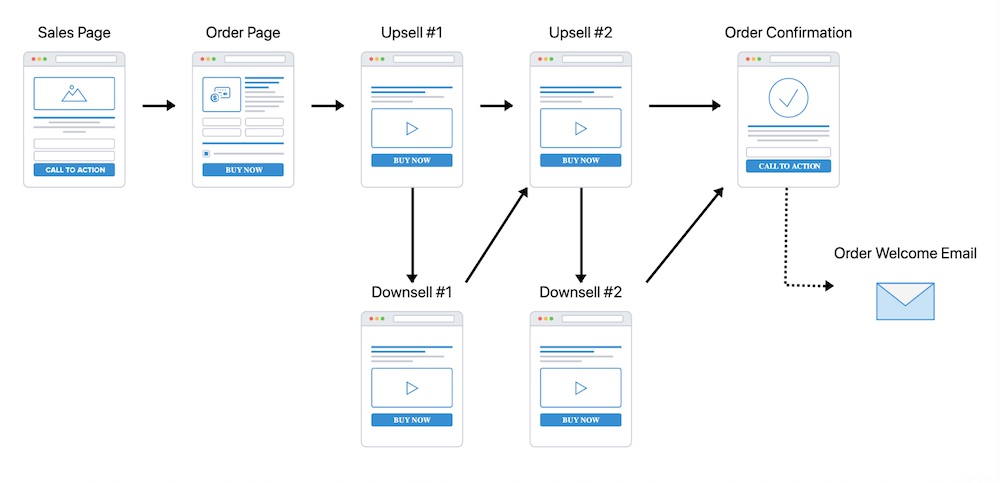
Continue the customer journey after the opt-in.
This strategy informs how our LinkedIn ad campaigns, landing pages, and follow-up sequences will work together. Most importantly, ensure that your messaging and CTAs are in sync in each step.
The two most common (and best performing) B2B lead funnels are…
- Lead magnet funnel
- Appointment setting funnel
Lead magnet funnels are effective because they grab your prospects attention by leading with value – you’re speaking to a problem or opportunity that they have and you’re educating them… you’re building a relationship.
Your lead magnet can be a report PDF, a guide, a webinar, or a ase study video… we’ve refined some extremely attention-grabbing ones for enterprise customers.
Appointment setting funnels are awesome because they put the potential lead in the driver’s seat to choose the best time, and they can have the option to reschedule if their availability changes.
Often, we’ll insert a short questionnaire (or application) before presenting the booking option, to ensure only high-quality leads are allowed to grab time on your calendar.
This also totally flips the dynamic from the business selling to the prospect… to the prospect requesting more info from the business. Subtle, but powerful in sales!
Need to Boost Your Lead Gen?
Book a call today >>
Audience Targeting
LinkedIn’s value is in the data and targeting they have available from their social network. Everyone lists their company and job title… therefore LinkedIn can also calculate their seniority level and the size of their company.
Most people don’t list work information on Facebook, and Google doesn’t have it either.
Company and Job information are two of the key categories we use heavily.
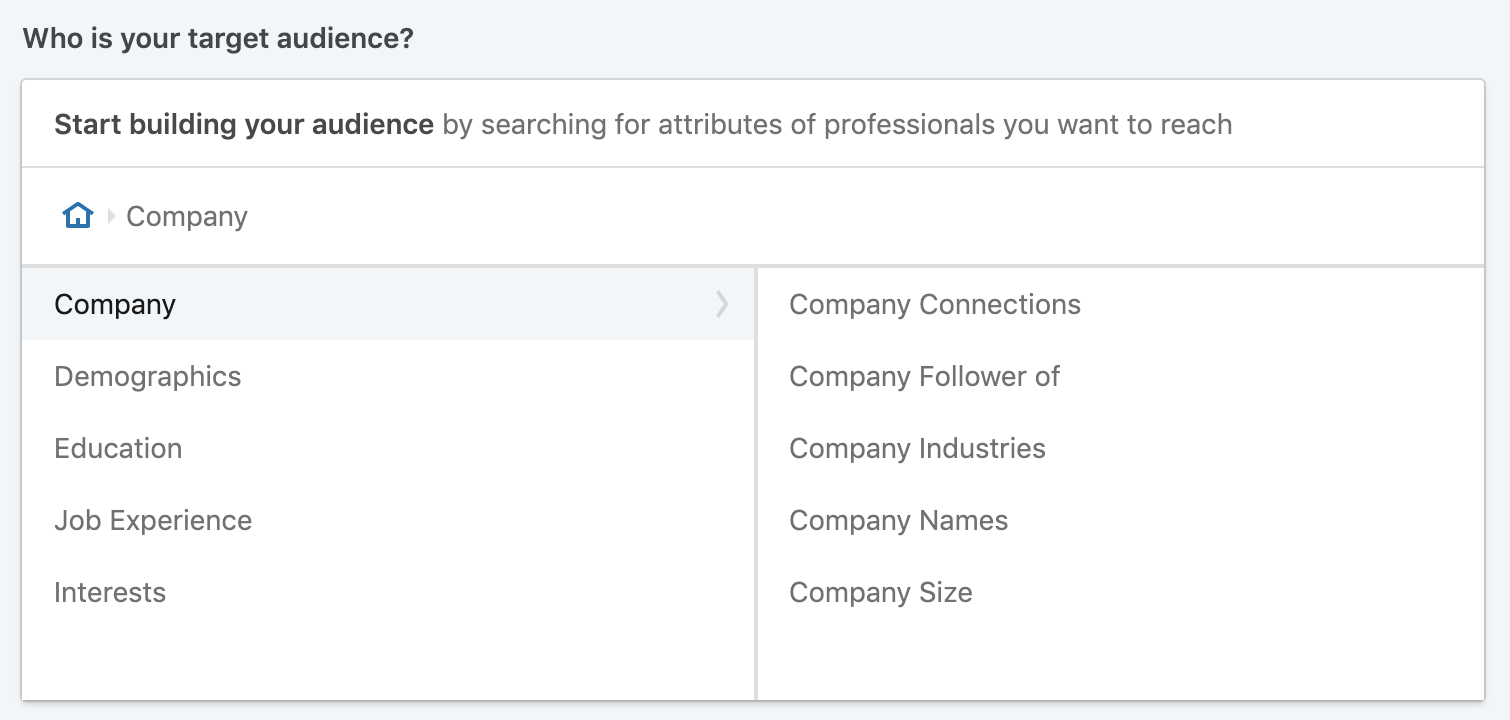
Target by Industry, Size, and even specific Company Names.
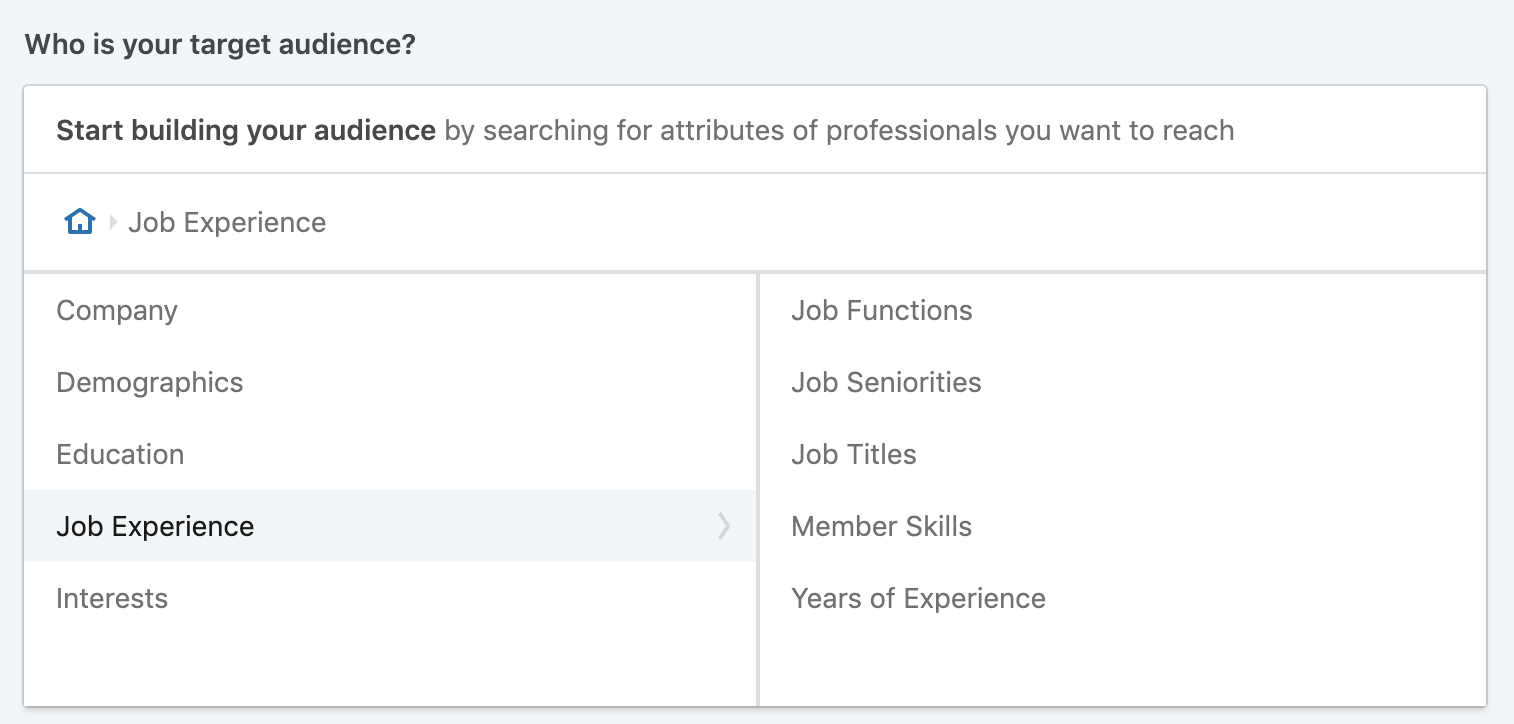
Targeting Owners, CEOs, and Technology decision-makers are great options
As you draft your targeting criteria, I recommend you do some searches using LinkedIn Sales Navigator to get a feel for the actual people who are in that audience pool.
LinkedIn also has Matched Audiences:
- Website Visitors: retarget potential buyers who’ve visited your website.
- List upload: retarget people on a given list.
- Lookalikes: people similar to a specified audience.
Most companies have a few customer segments and buyer personas.
If your website gets a significant amount of traffic (good traffic that is – see my notes about bad traffic above) then website retargeting and building a lookalike audience from your website visitors is great.
Pro tip: Use website audiences and lookalikes from visitors to key pages only, such as your Pricing or Book a Call pages, not everyone who’s visited your site.
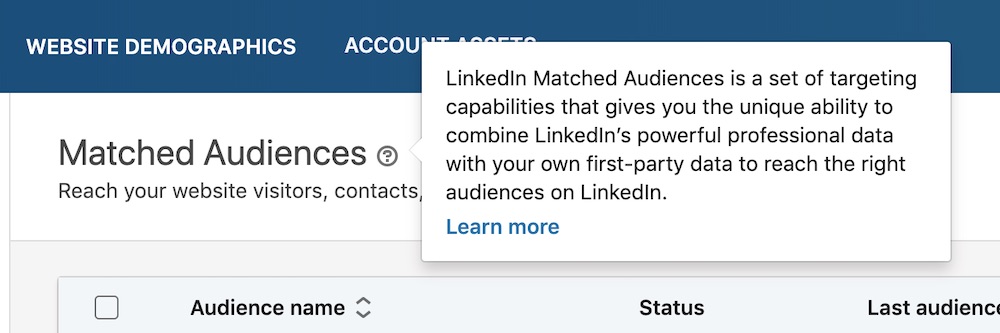
Matched Audiences are magical. Just like Custom Audiences on Facebook.
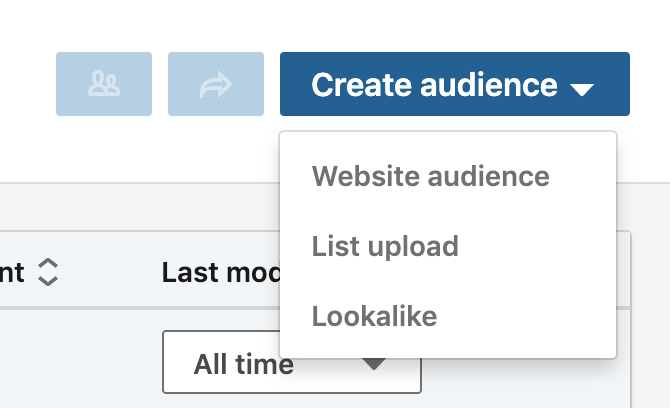
Create Lookalikes of your best website audiences and lists to put the AI to work for you.
SETUP
Once the strategy has been outlined, the next step is to start building the funnel – your LinkedIn ads, your landing pages, and your automations & sequences.
I spent years in software development and creating websites… and there’s something about building brand new funnels and automations that is really fun.
Your LinkedIn funnel starts by attracting visitors via your ads…
Ads
LinkedIn has several different ad placement options – these are different locations where your ad can be shown on the platform.
Single image ads and Video ads are the most common, and we’re all familiar with what they look like in the LinkedIn News Feed as “Sponsored Content”.
In addition to using those, we strategically add in Sponsored Text, Spotlight, and Message ads (Sponsored InMail). This part is nuanced, but makes sure you’re getting the most out of what LinkedIn can do!
See the Optimization & Scale section below for more on these killer techniques.
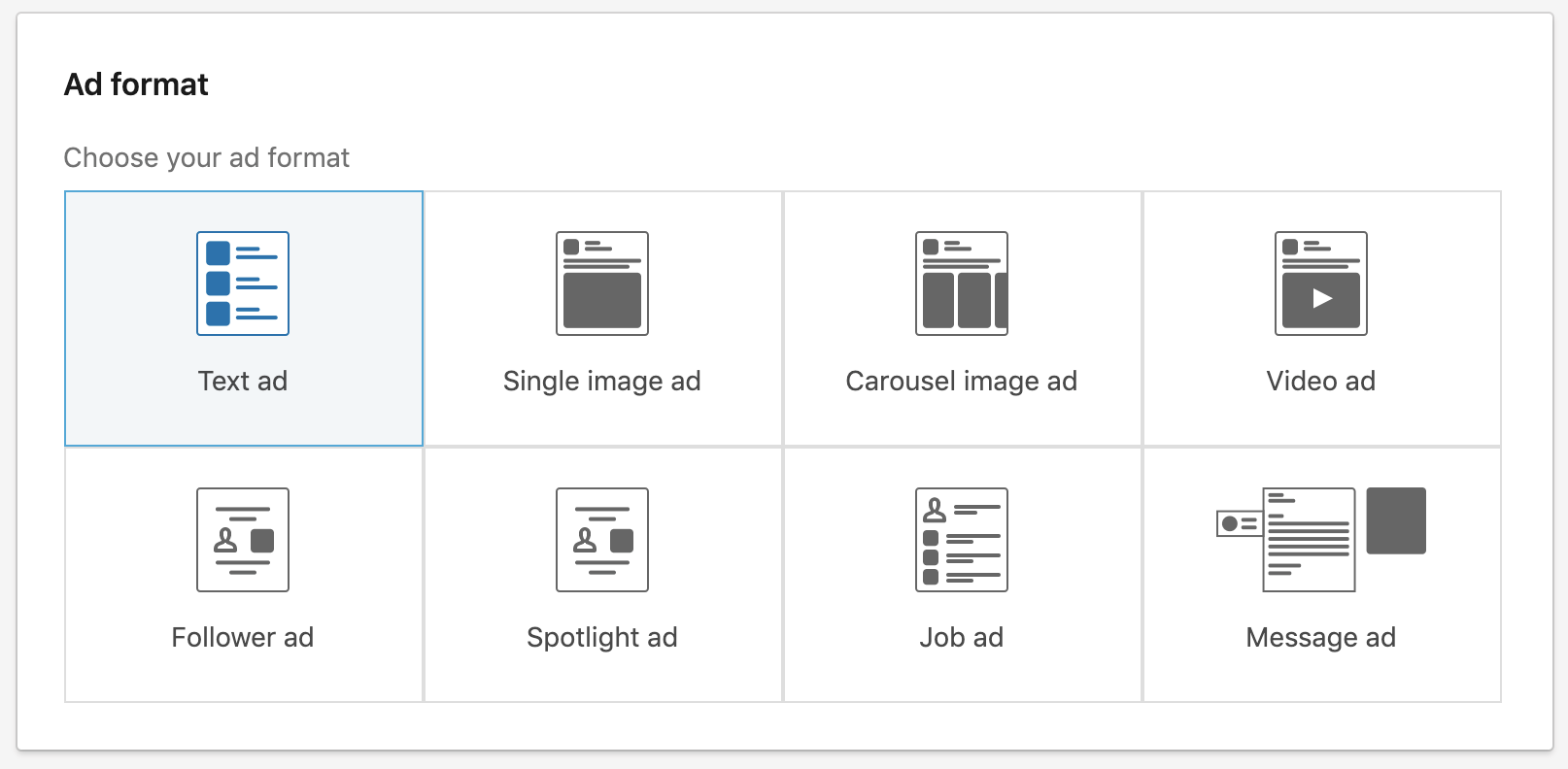
Note that you can’t change your campaign’s ad format once selected.
LinkedIn Lead Forms
Lead Ads are one of the most effective ad types… because they are lead capture forms that open right inside of LinkedIn, without your potential lead having to leave the platform or wait for a page to load…
AND they auto-populate with information from the person’s LinkedIn profile.
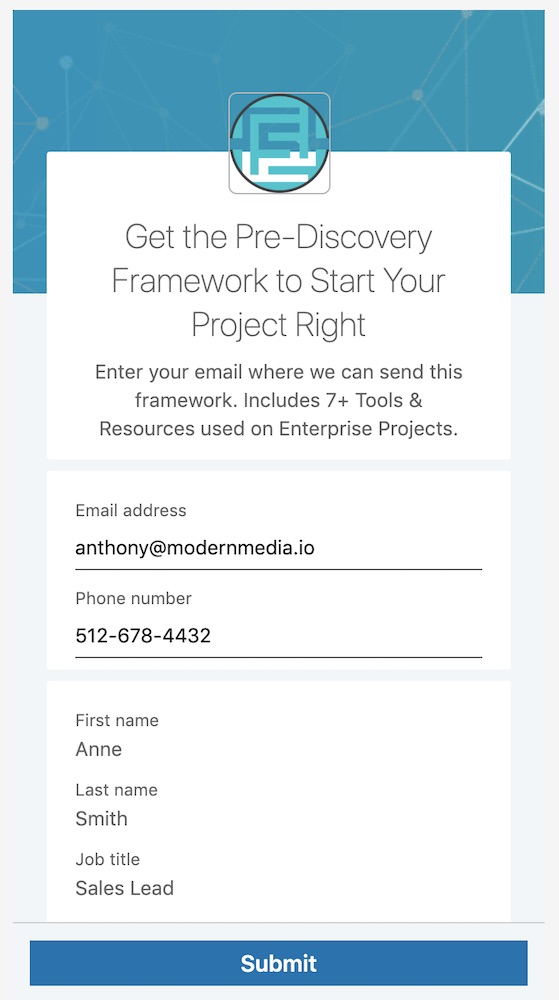
Auto-filled contact info… yussss!
You’re also much more likely to get valid data because it’s coming straight from their LinkedIn profile and Company page. ☑️
You can have the lead form ask for profile information, and you can also add in Custom Questions (ie. “What is your biggest sales challenge?”) and Checkboxes (ie. Opt into additional marketing communications).
Pro tip: add an optional checkbox to sign-up for your newsletter.
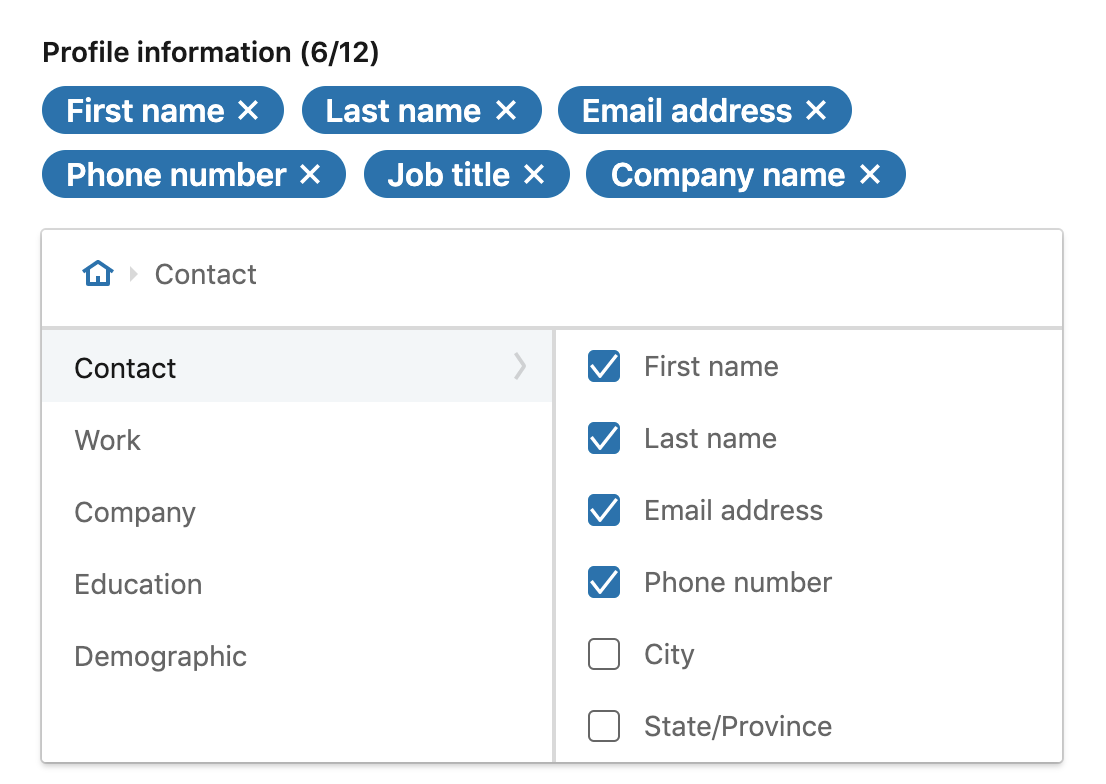
Only ask for what you need! For every additional input, there will be some percentage of people who drop-off.
Note: You’ll need to provide a Privacy Policy URL and an explanation of how you’re going to use the data.
Landing Pages
Whether you’re using lead gen forms or website visit ads you’ll need a place to direct people to next…
At this point, someone has seen your ad and they’re interested enough to click-through and hear more.
Keep in mind they’ve only been interacting with you for about a minute… and most people skim over your ad copy.
So, you still need to hold their attention and convert them into a prospect. Therefore landing pages MUST:
-
- Load fast
- Keep consistent messaging from ad to landing page
- Be clear and concise on the offer
- Provide an obvious next step
- Capture the lead
ClickFunnels, InstaPage, and Unbounce are all good options for quick & easy to use solutions.
Pro tip: For appointment booking funnels, have an application step with a questionnaire — so that only high quality leads are able to grab a time with you… We add conditional logic to redirect qualified vs unqualified leads to different funnels steps.
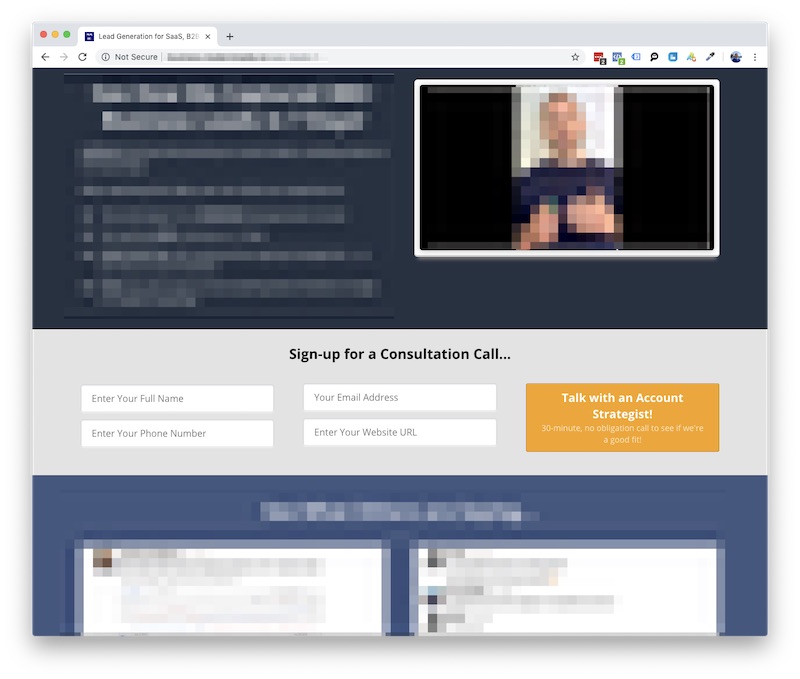
Provide a clear call-to-action and next step… most people are half paying attention
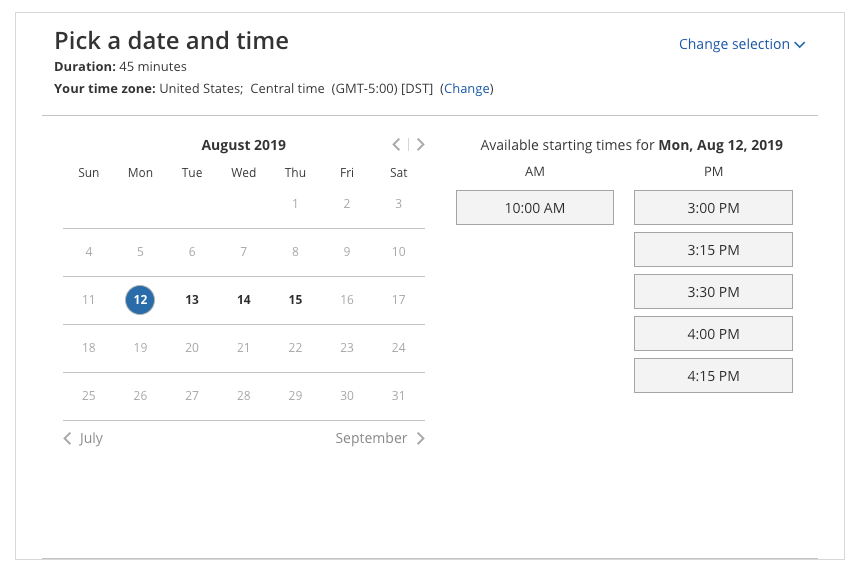
Automated calendar tools are a beautiful thing.
Want your leads to book appointments on your calendar?
Let’s setup a call to get started >>
LinkedIn Insight Tag & Conversion Tracking
LinkedIn has its own version of the Facebook Pixel and Google Analytics Tag – it’s called the Insight Tag. This is a snippet of code that you put on your website to track visitors and conversions.
I’d even say LinkedIn’s version is the most useful because Campaign Manager reports on Website Demographics, so you can analyze the most common Job functions and Company industries of people who visit. You can also see their Company Names!
Create your Insight Tag by going to Account Assets > Insight Tag > Create My Insight Tag.
We use Google Tag Manager on all of our funnels, so we install the tag through Tag Manager. Using GTM, just grab your partner ID and pop it into a new Tag.
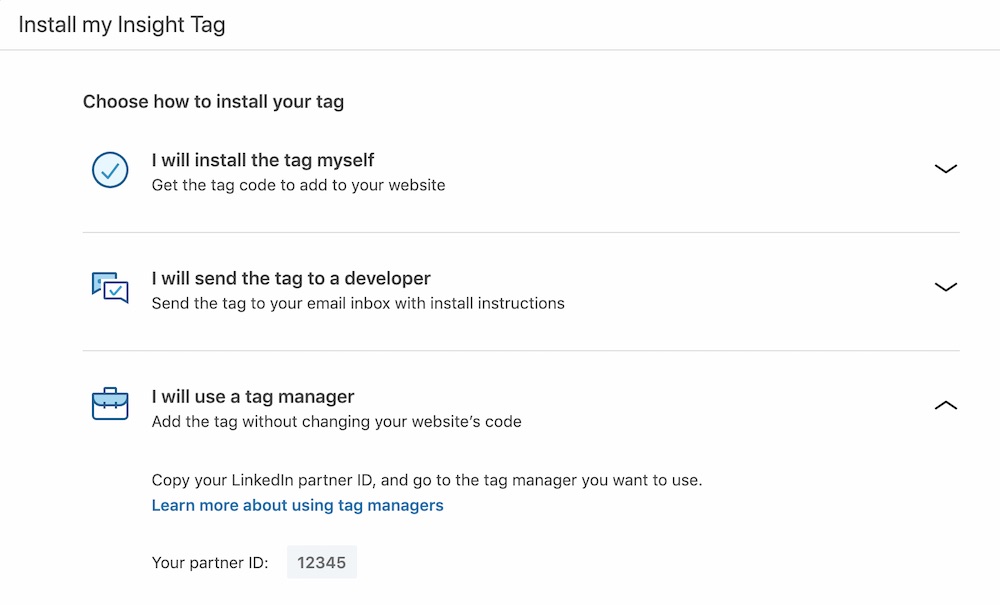
Install the Insight Tag ASAP! Even if you’re not yet running ads.
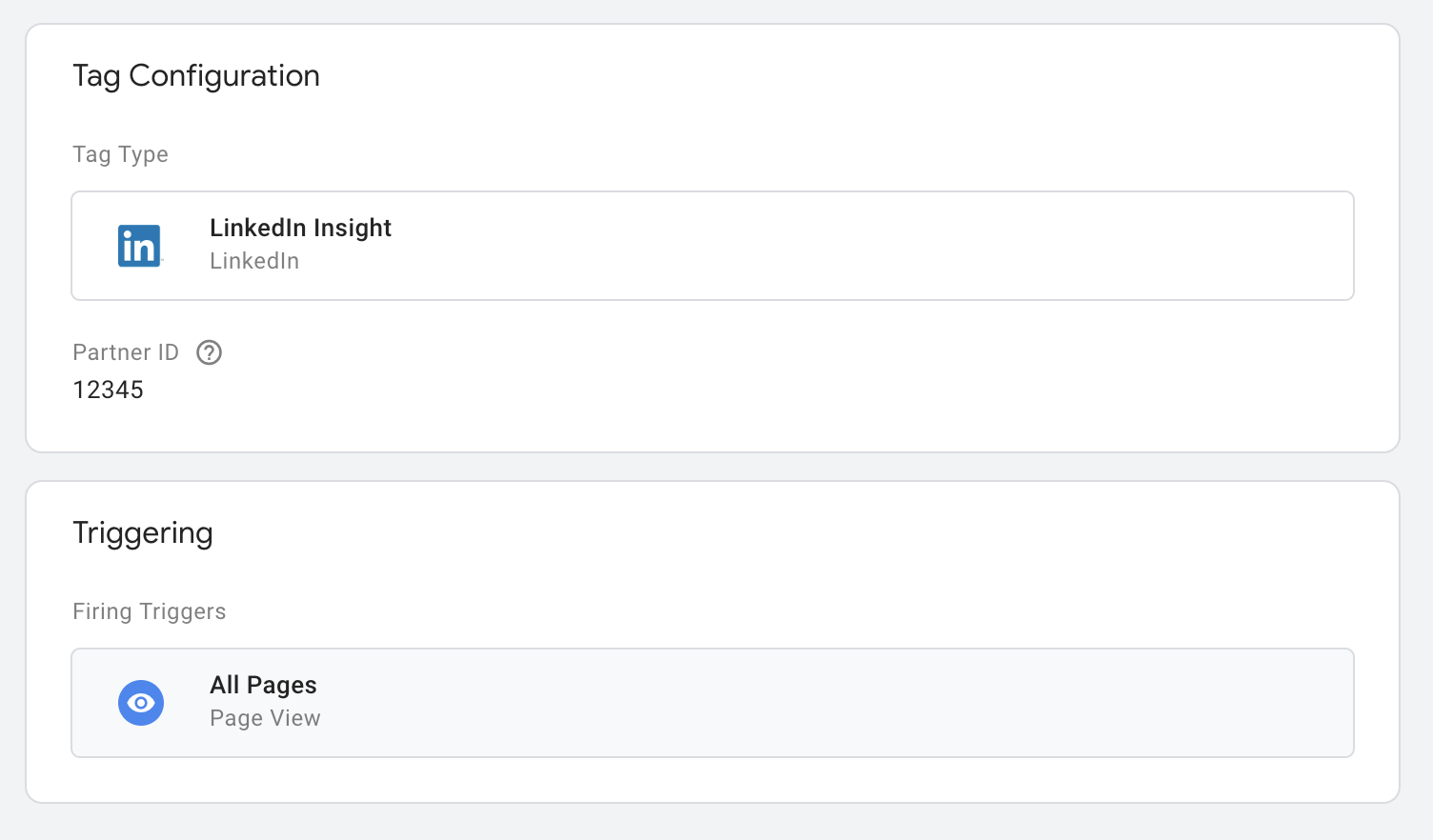
GTM makes it code-less to add the snippet to your website. Anyone on your marketing team can do it.
Then add Conversions for the important steps in your funnel. In a typical appointment generating campaign, we’ll have conversions for “Application Submitted” and “Booked a Call”.
You may also have other conversions like “Thank You Page View” or “Lead Magnet Download” if your funnel has the lead magnet sign-up and download on the website.
When we’re working with a software product/service, such as a SaaS platform… we add in Sign-up, Install, and Purchase, so that we can further see which campaigns have the highest conversion to user and customer.
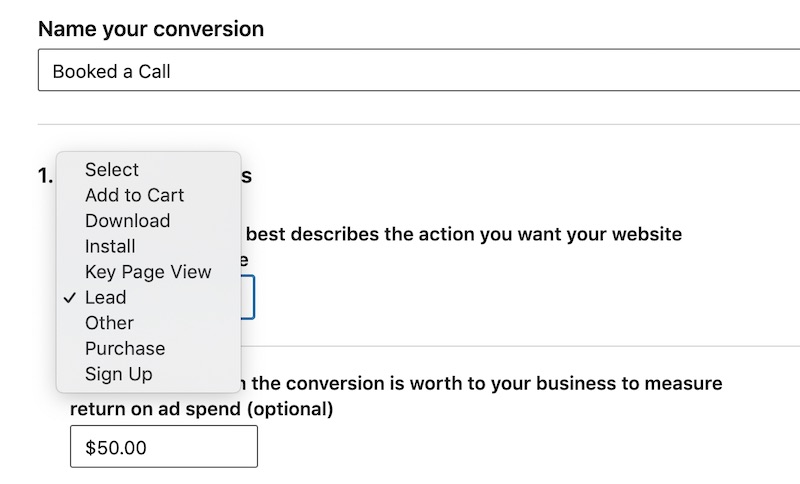
Track those conversions!
Then to add this conversion action to your page, you can provide the URLs where your conversions happen. For example, the “Booked a Call” conversion should be counted when someone reaches the confirmation page (mywebsite.com/call-confirmed) – meaning they’ve successfully booked a call.
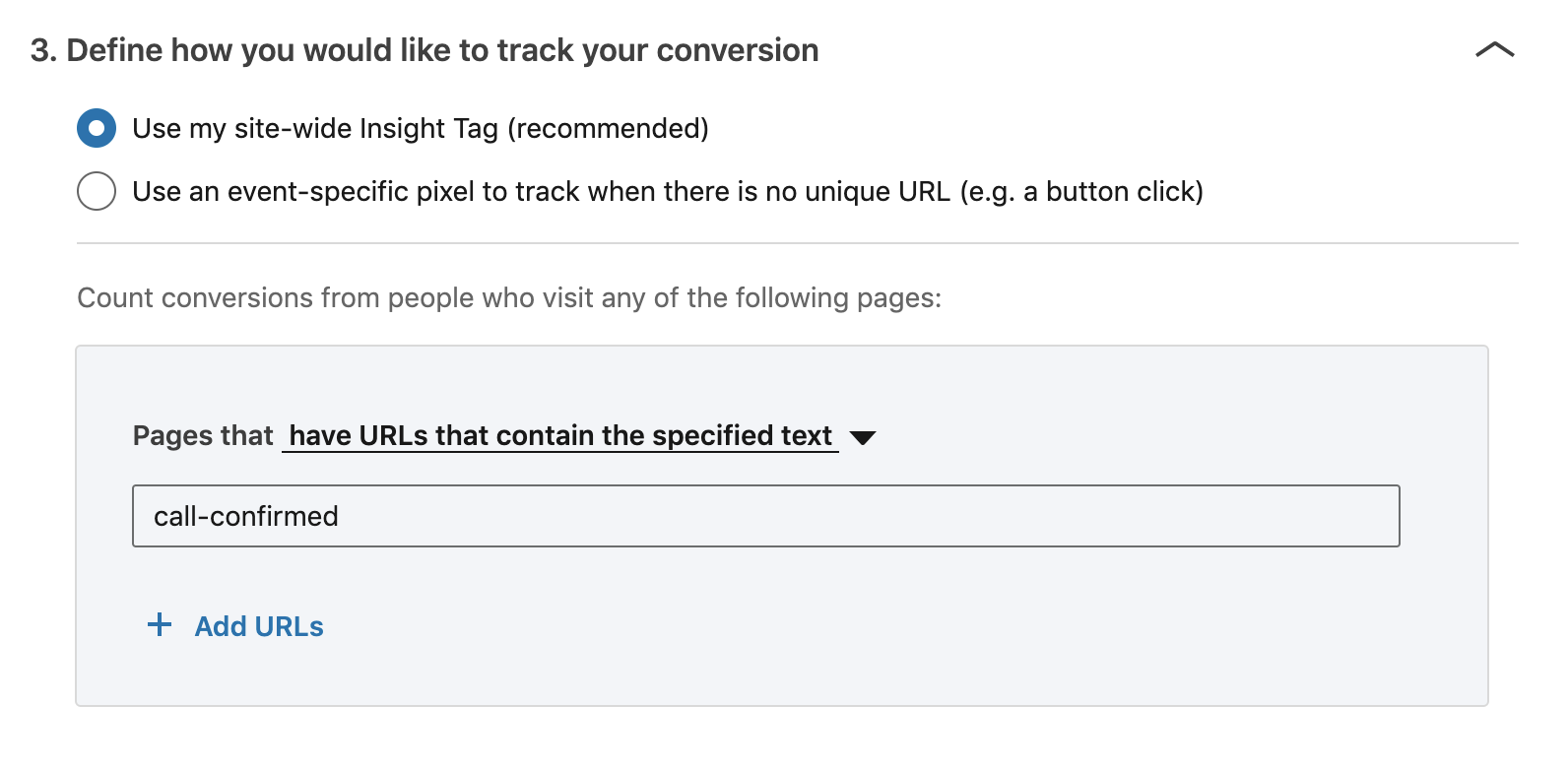
If you already have the Insight Tag installed, just tell LinkedIn where a conversion happens.
Alternatively, we prefer to manually place the event-specific snippet on each thank you page, as URLs can change… and this makes it simpler for both our team and the client’s team to manage all conversion tracking inside of Google Tag Manager.
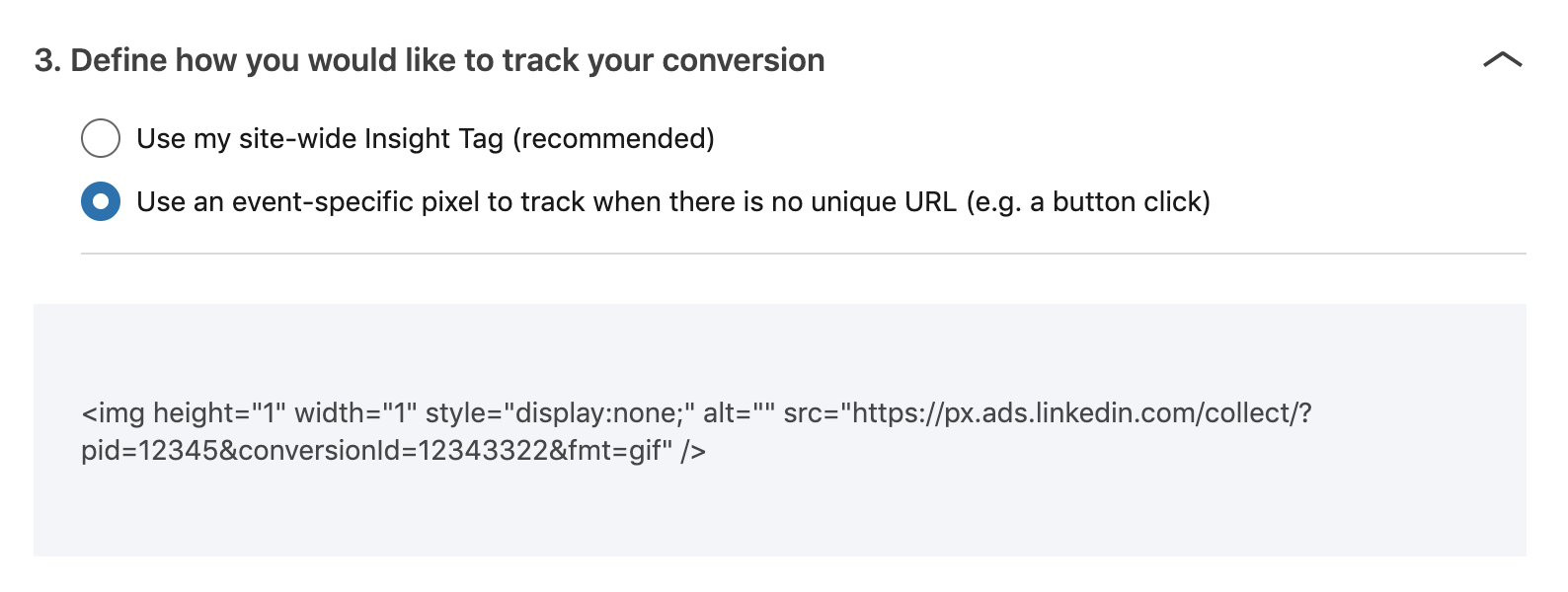
I still prefer the explicit event tracking tags… also, if you don’t have a thank you page redirect, or if the conversion is happening in an app or backend system then you need to use this.
Need help with LinkedIn Conversion Tracking?
Schedule a call with me here >>
Follow-up & Nurture Sequences
Cold traffic – which contains your future customers – almost never buy on the first interaction. The average is 7-12 touchpoints. That’s why the KEY to lead generation is in the follow-up.
- Immediate confirmation: As soon as they submit their contact info, send them an email… and even better an SMS text message (98% of text messages are opened… less than 20% of emails are).
- Make contact ASAP: Kickoff an internal notification to the point person… so that a salesperson calls the prospect as fast as possible. Calling within 5 minutes gives you the best chance that leads will answer the phone.
- Follow-up, follow-up, follow-up… and more follow-up! A typical sequence may drip out on day 1, 2, 3, 5, and 8. We build out 60-90 day sequences for most B2B offers where the sales cycle is typically longer.
Unless you’re a mainstream brand with a well-known product or service. Your prospect needs more information before they’re ready to buy…
And this is even truer the more expensive and sophisticated the product or service is – such as for premium products, agency services, or consultative businesses.
Additionally, most prospects are busy and on the go. The majority of LinkedIn traffic is mobile, so your prospect is probably seeing your ad as they scroll through their newsfeed on the way to their next meeting.
Keep in mind that when they see your ad… they might not even be capable of converting at this very moment.
Maybe they…
- Need another stakeholder’s sign-off
- Need to find their corporate credit card
- Need to check their work calendar
BUT, they’re interested enough to opt in. They are now a lead… so you need to stay top of mind until they’re ready and able to take the next step.
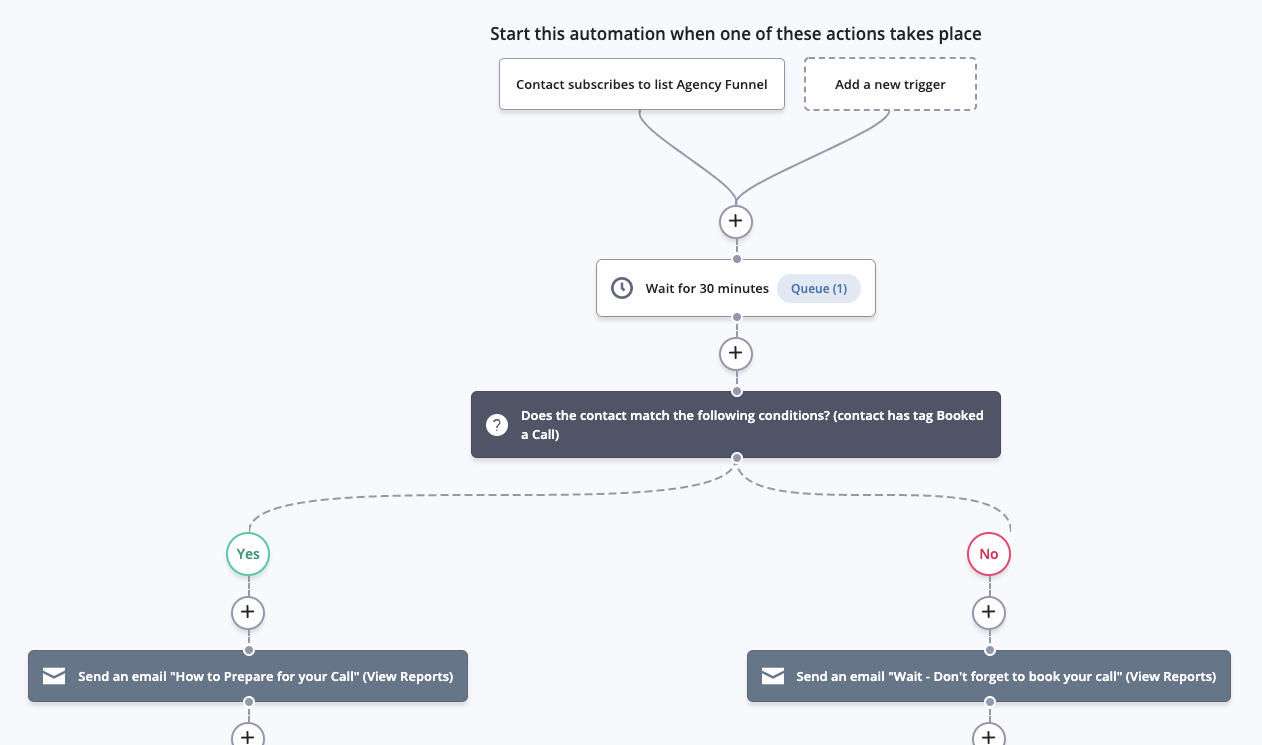
Someone signed up but didn’t book a call? Send them a reminder to book!
If they downloaded a lead magnet, send follow-ups on how to use the tool, stories of ways others have used it, and how to get in touch with you if they get stuck… or more importantly, if they’re interested in hiring you.
If they booked a call, send them ways to prepare for that call so that they get the most value from it. Share your case studies and customer testimonials – prospects will ask questions and they will get a feel for what it looks like to work with you.
Need higher quality leads?
Book a call today >>
OPTIMIZATION & SCALE
Now this is the exciting part.
You have your funnel built… the system is running and signing up new leads and booking appointments with your sales team — what next?!
Optimizing Your LinkedIn Campaigns
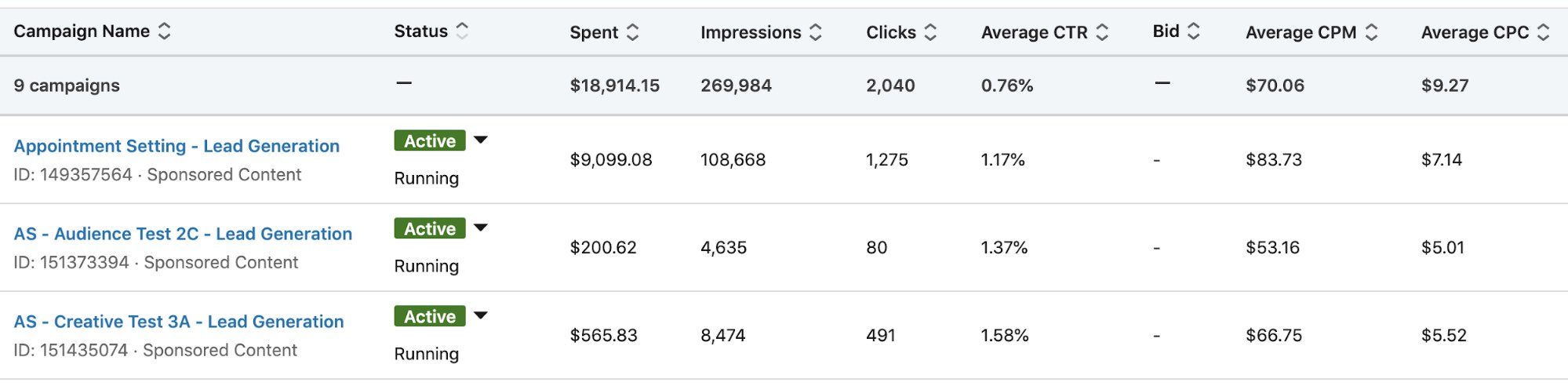
As your LinkedIn ads run and collect performance data, you’ll see which ads have the highest click-through rate (Average CTR), cheapest cost per click (Average CPC)… and most importantly, best Cost Per Conversion and Cost Per Lead.
According to AdStage’s LinkedIn Paid Media Benchmarks:
- Median CPC: $4.19
- Median CPM: $8.45
- Median CTR: 0.20%
In our campaigns, we’re often targeting middle and senior-level people, where the CPMs are in the $35-75 range.
For Click-through Rate, we shoot for over a 1% CTR. Anything lower than that and you need to work on your ad creative or your audience-offer alignment.
Once an ad has 500 impressions… if it doesn’t have any conversions and is below a 1% CTR – kill it ⚔️
In the end, your Cost/Lead and Cost/Conversion are the most important metrics.
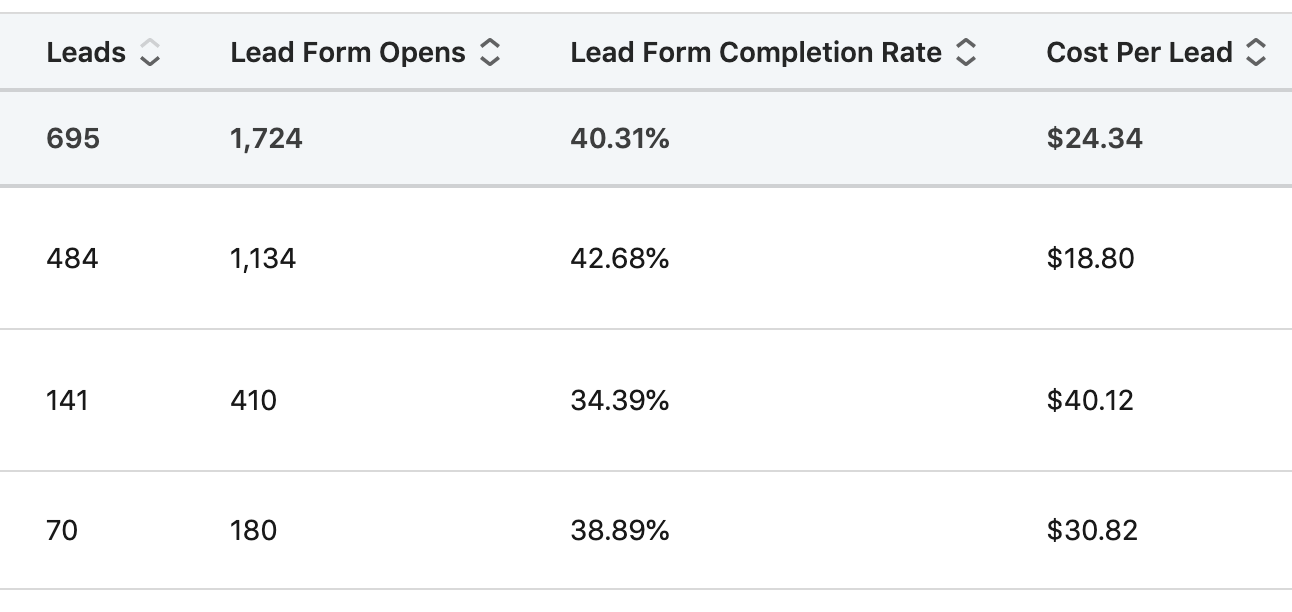
Use CPL and Lead Quality to guide your optimizations.
To optimize your LinkedIn campaigns, run a new A/B test against your ongoing campaign (the control group).
Elements to split test and optimize…
- New Audiences
- New Ads
- New Offers / Lead Magnets
- New Landing Pages
ABT… always be testing!
Scaling Vertically
Once you’ve optimized your campaigns and you’re converting leads at a profitable CPL… it’s time to scale!
Vertical scaling is increasing the budget of your campaign.
Ad spend set to $100/day? Crank it up!
LinkedIn does not have a “Learning Mode” that Facebook ad sets do, so there’s not a worry in resetting the algorithm.
Instead, we do typically add a bid cap. Take your campaign’s Average CPC and add 50%… because we want to keep our campaign averaging around the same Cost Per Click. This helps ensure your performance holds at the same Cost/Conversion as you scale.
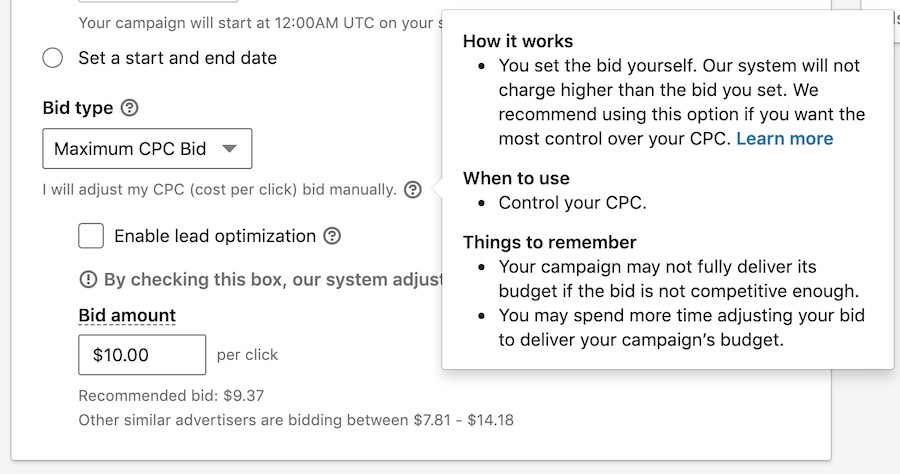
Keep your CPCs under control.
PRO TIP! LinkedIn does not tell you impression frequency per person, or how many times a single person sees your ad.
This is an important metric because it is an indicator of audience exhaustion. If every person has seen your ad several times and still not converted… then you’re wasting your ad dollars continuing to advertise to them!
Instead, what you must do is compare the Forecasted Target audience size that LinkedIn campaign manager provides with the number of Impressions your campaign has delivered.
If your number of impressions surpasses the target audience size, you’re reaching people multiple times and you will see your CTR decline and Conversion Rates and Cost/Lead worsen.
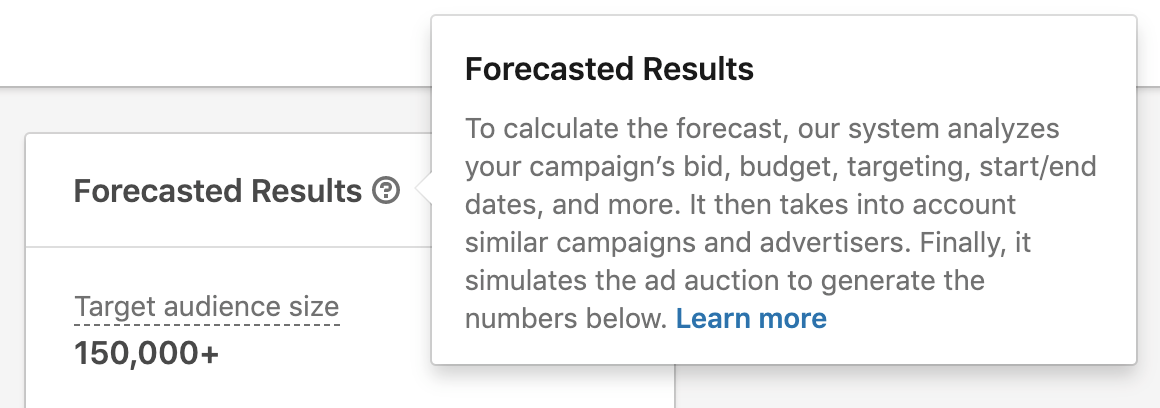
Estimated number of people that your campaign can reach on LinkedIn.

Served more impressions than there are people in your audience? You might be exhausting your audience.
If that happens, it’s time to look to horizontal scaling.
Scaling Horizontally
Horizontal scaling is taking your a proven campaign that is converting at or above your target KPIs and launching it to new audiences on the social network.
New audiences we split test:
- Lookalikes
- Larger/smaller company size
- More senior/less senior job seniority
- Older/younger ages
- Retargeting
Also, most companies have more than one customer segment or buyer persona. Now that you have a marketing campaign that’s working well, launch it to others in your target market.
Placements
Another way to scale horizontally is placements, or where your ad can appear. Once you’ve proven your ad and offer in the News Feed Sponsored Content placements, expand your ads to Text, Spotlight, and Sponsored InMail.
We see the best results from retargeting warm traffic. Since these ads are physically smaller ad units and therefore can’t convey as much information… here the goal is to remind the prospect about something they’re already interested in.
Pro tip! Don’t retarget everyone who’s been to your website – many people click and visit without really knowing what your offer is… so you don’t want to waste money retargeting them. Instead, only retarget people who have made it past the 1st step in your funnel, or who have visited a key page (such as your pricing page).
Spotlight Ads
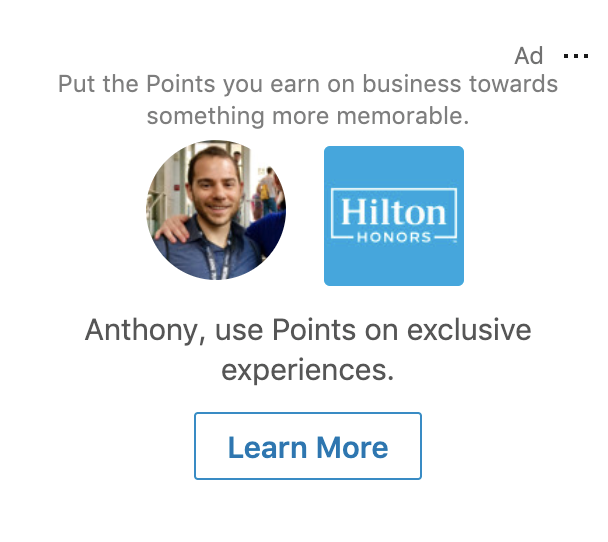
Just like Facebook’s Right Column Ads
Text Ads

Cheap ad space – keep your message and CTA simple and direct.
Message Ads
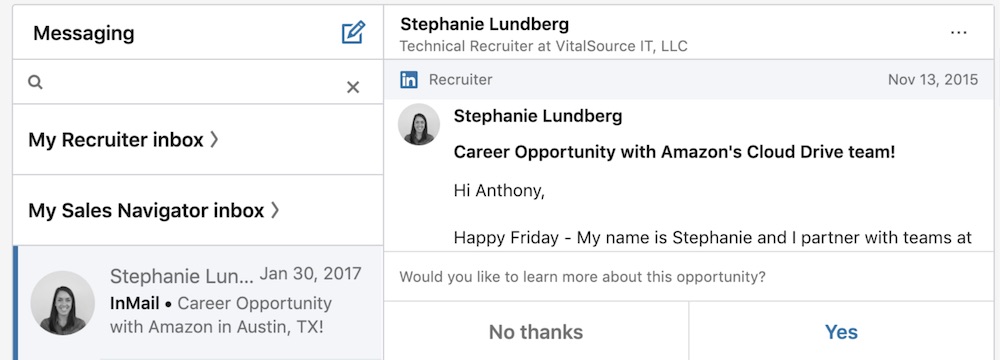
Slide into the DMs… crushes it on LinkedIn too
Pro Tip! Sponsored InMail retargeting is gold. Sending a direct LinkedIn message to someone who visited but didn’t convert is the best way to get back in front of a warm prospect. It may seem creepy at first… but it’s crazy effective!
Struggling to scale your campaigns?
Schedule a call with me here >>
BONUS
Want to know a few more ninja tactics that we love?
Here are a couple of tips to squeeze every last ounce out of your LinkedIn marketing efforts.
#1 – Watch Company Names in your Campaign Demographics
Which companies have seen and clicked the most but are not in your lead list? Someone at that company was interested. Use LinkedIn Sales Navigator to find someone there and reach out directly.
Connect with them or use your InMail credits… or find their email address on their company’s website.
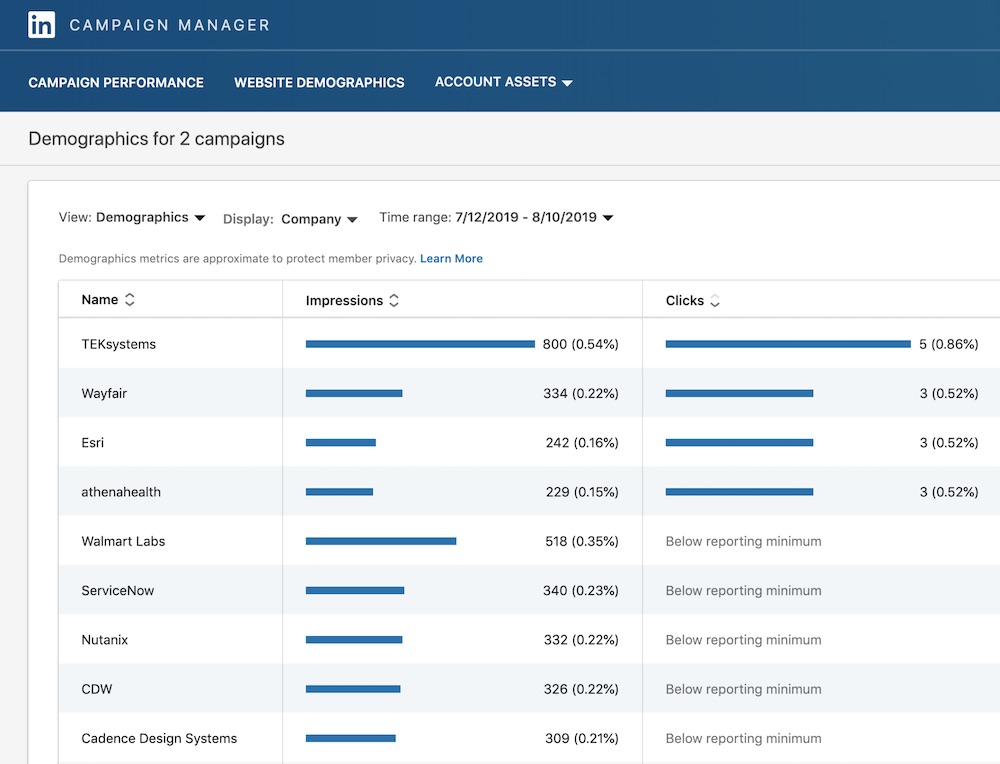
FREE LEADS!!
#2 – Add a Second Call-to-Action on Lead Forms
If you’re using Lead Magnets with LinkedIn Lead Ads, we recommend that you deliver the asset (PDF, guide, link) via email to the prospect. This ensures they provide valid contact info and email address to you.
But this also frees up the Thank You page on your lead form to be used for another Call-to-Action.
This person is a hot prospect who just opted into your offer… give them a way to continue the customer journey and offer them the next step on the path to becoming a customer.
Such as scheduling a call with you or buying your tripwire offer.
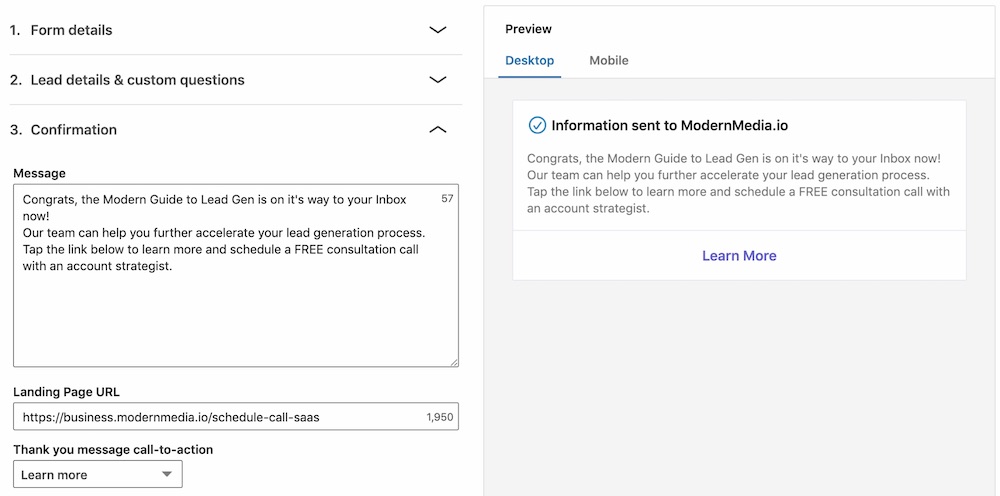
Keep that customer journey going
So now you know how to build a LinkedIn lead generation funnel, and you even have several of the best marketing tips and tricks that are working right now on the best B2B network!
Want to have this built for you – faster and more effective using our industry-leading templates and best practices – that we’ve refined from managing 100s of campaigns and attracting 100,000s of leads?
Book a call with me to learn how we’re helping B2B companies generate 100s of new leads/month using LinkedIn Ads!