Here are step-by-step instructions about how you can grant access to users in LinkedIn Ads and other advertising and analytics platforms.
If you use LinkedIn Business Manager: please follow the instructions for LinkedIn Business Manager.
Otherwise: Grant access on the LinkedIn Ad Account and Company Page Directly.
Jump to Section:
- LinkedIn Ads & Company Page
- LinkedIn Business Manager
- Facebook Ads
- Google Ads
- Google Analytics
- Google Tag Manager
- HubSpot
Let us know if you have any questions!
LinkedIn Ad Account
1. Navigate to https://www.linkedin.com/campaignmanager/login and login to your personal LinkedIn account.
2. Find your Company’s Ad Account inside of Campaign Manager > Click into it.
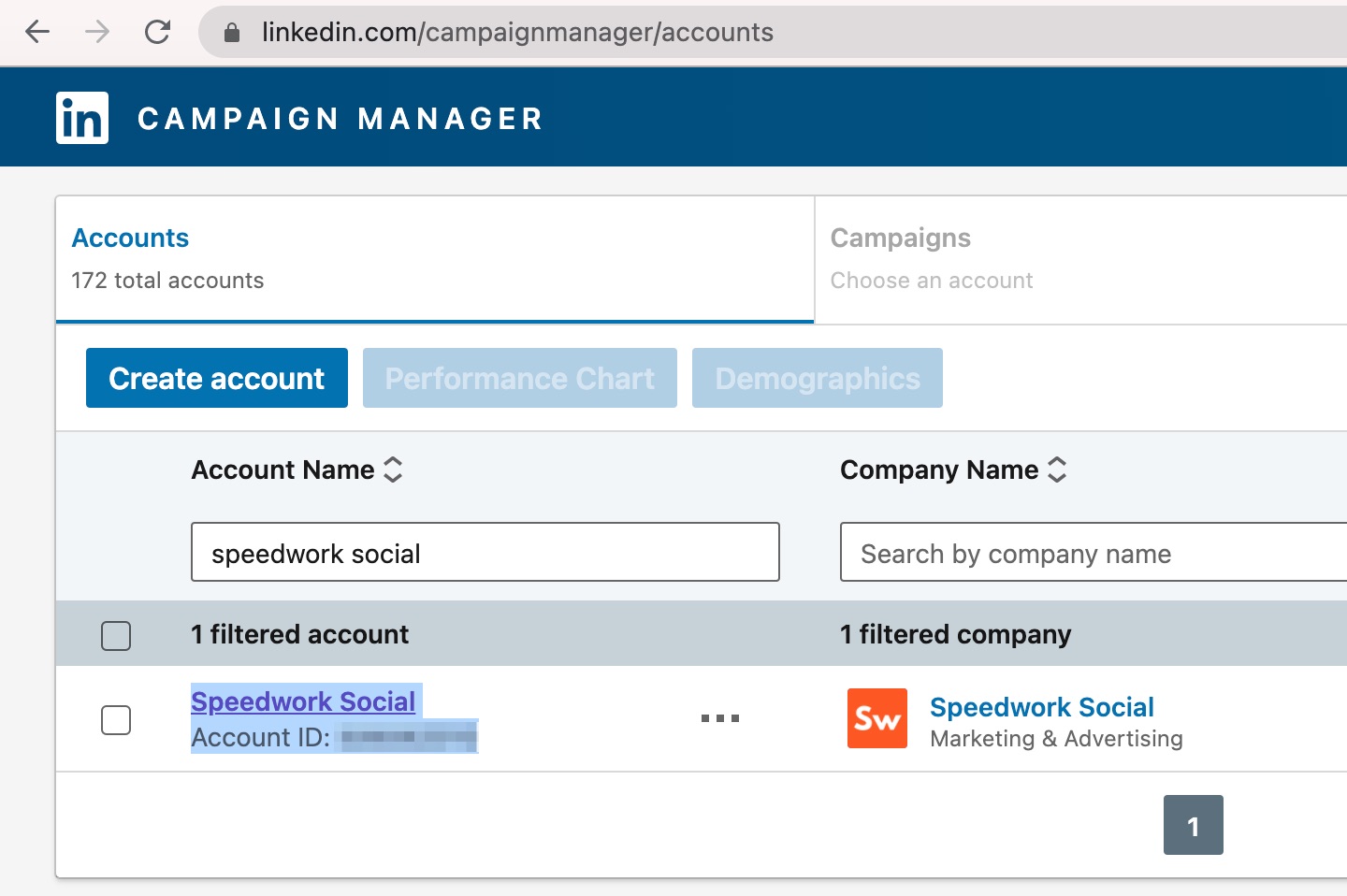
Find your Ad Account and click into it.
3. Inside of your Ad Account, look in the lefthand side bar. Click Account settings > Manage access:
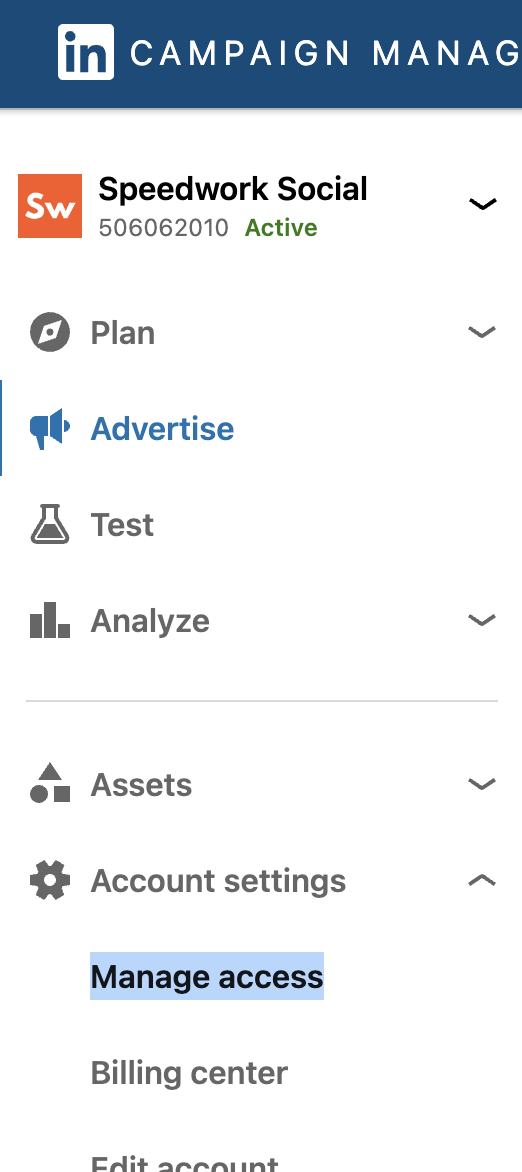
OR if you see the left side bar, click into Account settings > Manage access
4. Add Anthony Blatner and Molly Waters as an Account manager (so they can add our team, and that we can configure the accounts).
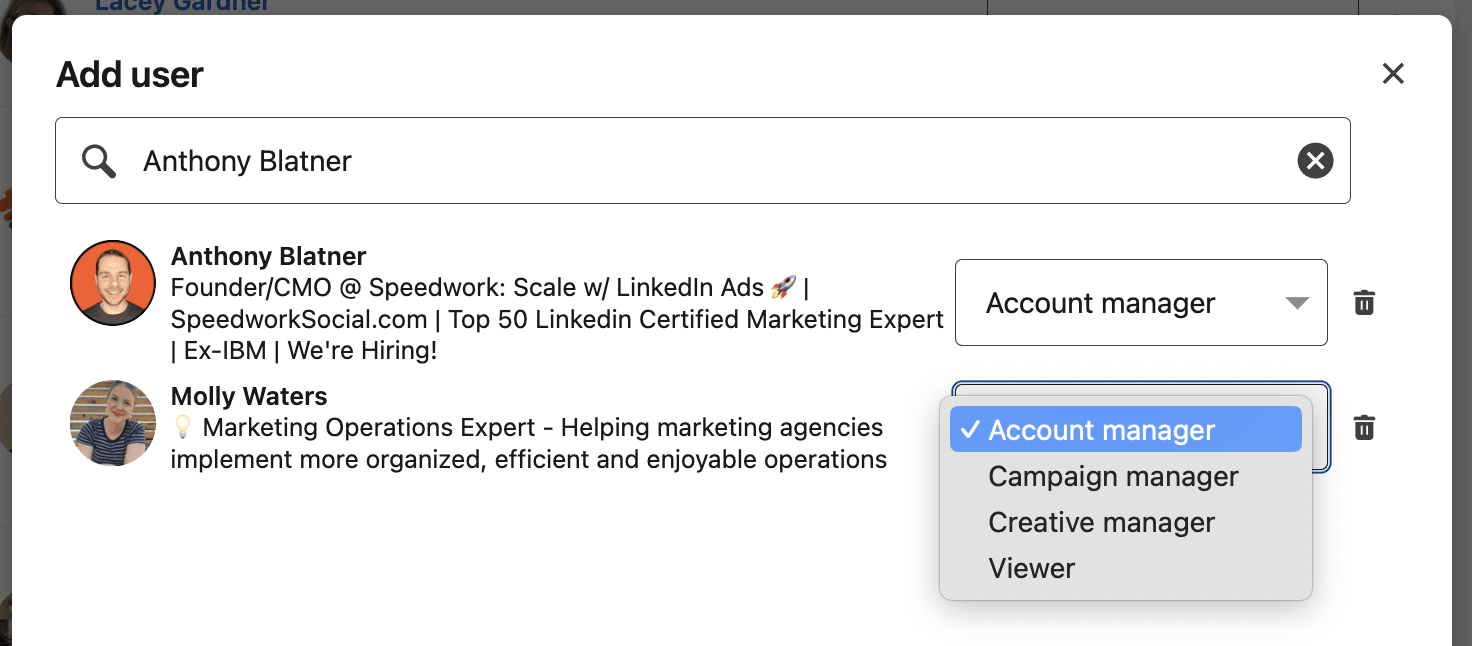
Search for Anthony & Molly > Add as Account manager
LinkedIn Company Page
5. Navigate to your company’s LinkedIn Company Page (example: https://www.linkedin.com/company/speedworksocial/)
6. Select Admin tools > Settings > Manage admins
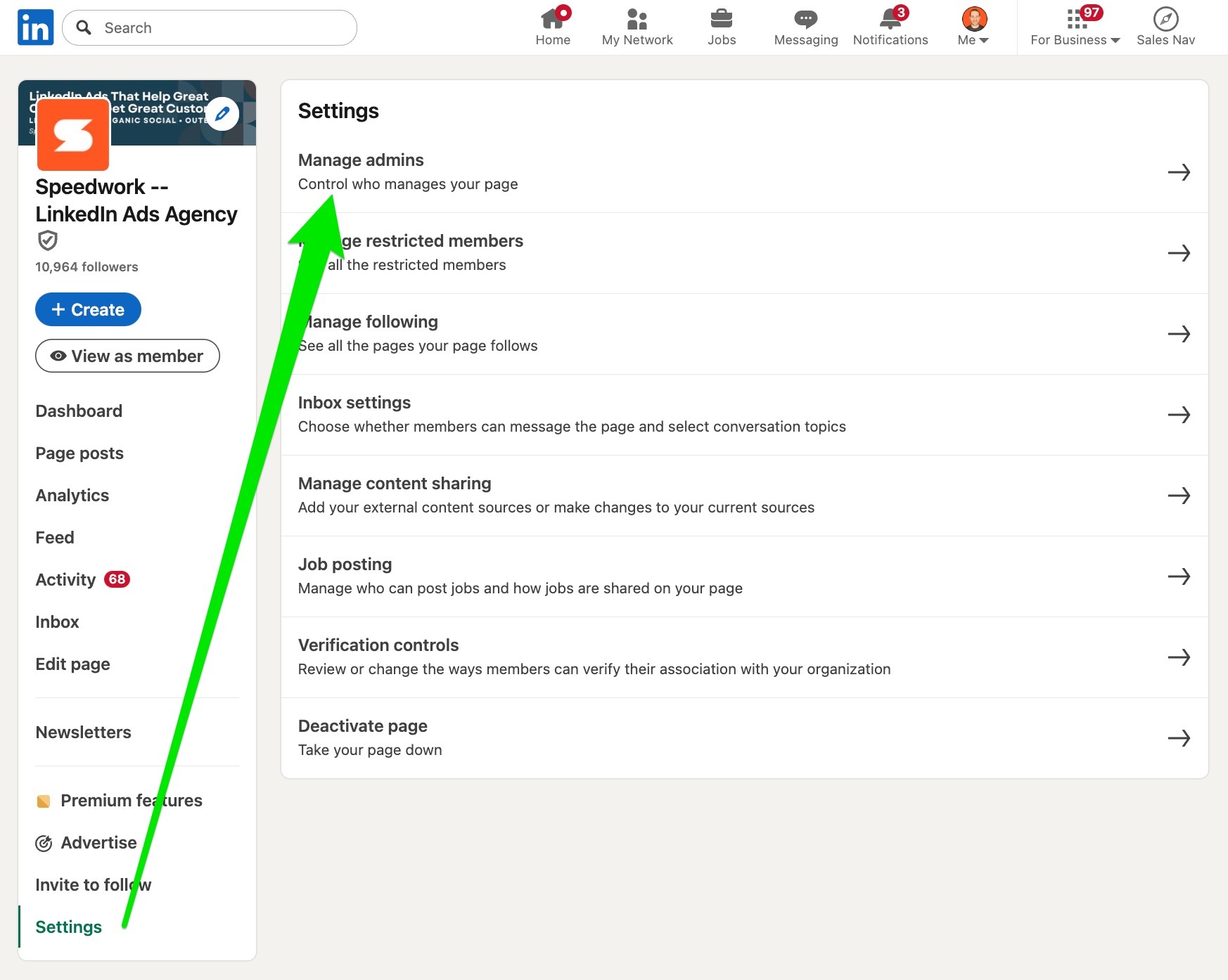
Go to your Company Page > Settings > Manage admins
7. Add Anthony Blatner and Molly Waters as a Super admin (so they can add our team and configure the accounts)
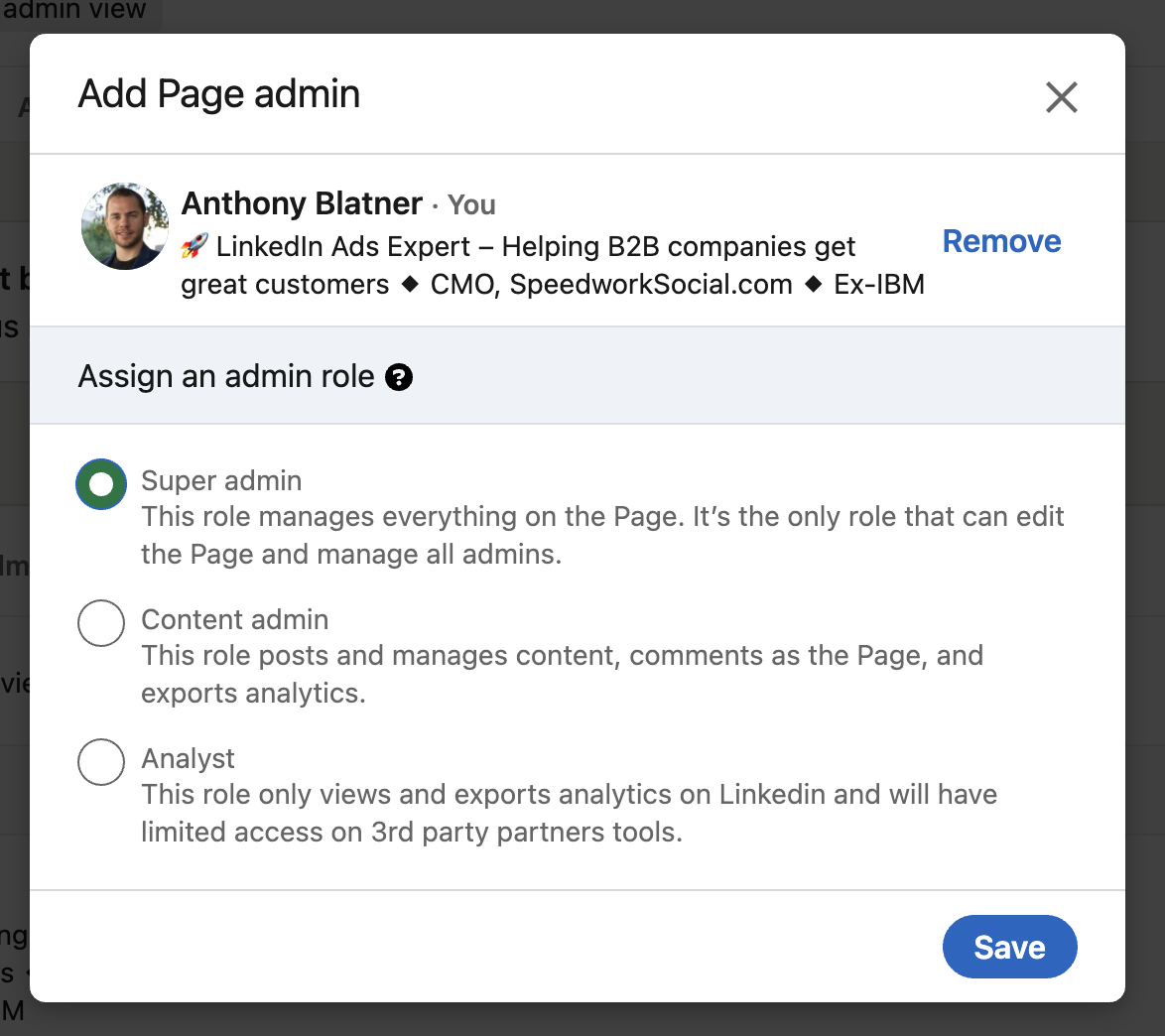
Add Anthony as a Super admin
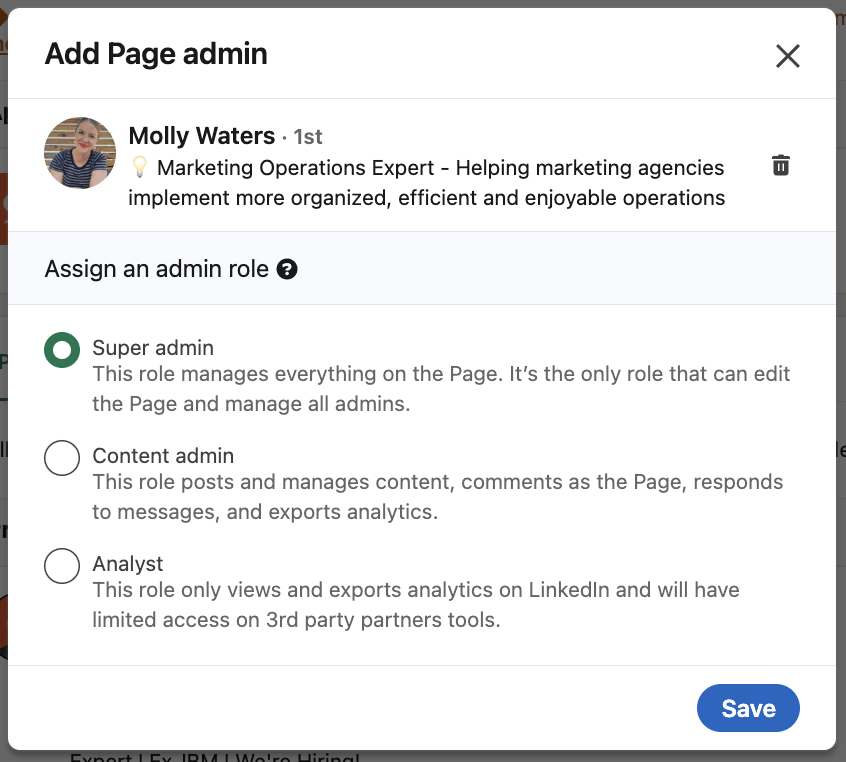
Also add Molly as a Super admin
This is needed so that we can create ads from your company page.
LinkedIn Business Manager
- Navigate to https://business.linkedin.com/marketing-solutions/business-manager > Click Sign-in
- Click to Partners
- Enter our Speedwork Business Manager ID: 6955555432337727489 into the input field and click Add partner
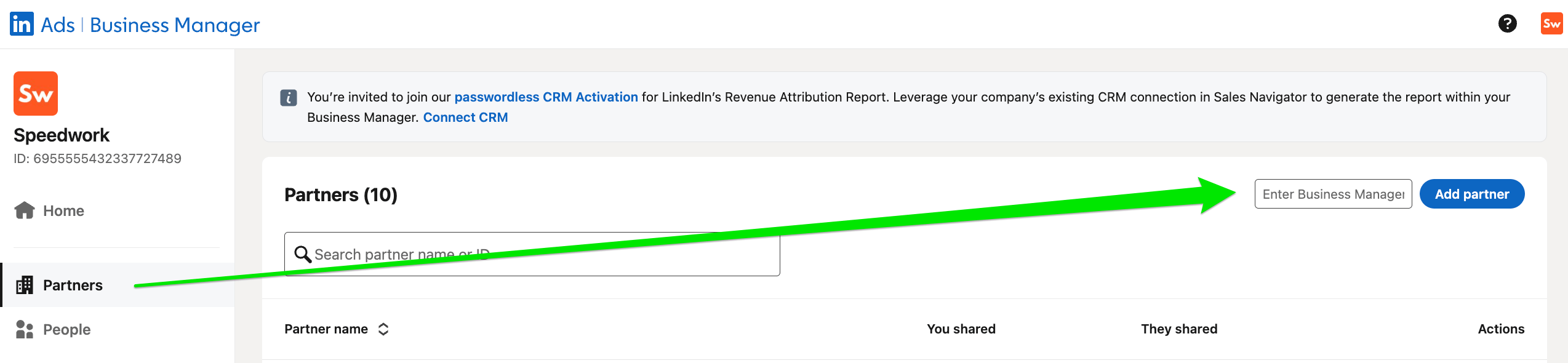
Enter our Partner ID into the input field, then click Add Partner
- Once added, click into our Partner listing on your partner page.
- Under Pages > Click Share Pages > Page Super Admin
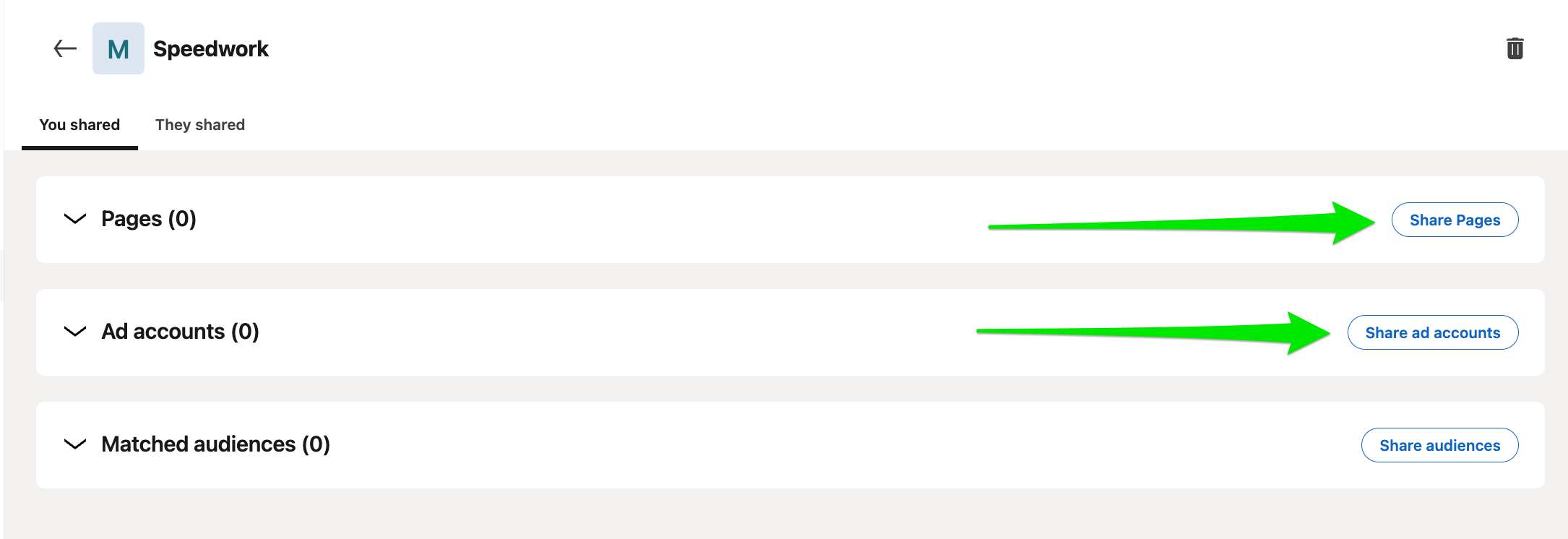
Click Share Pages then Click Share Ad Accounts
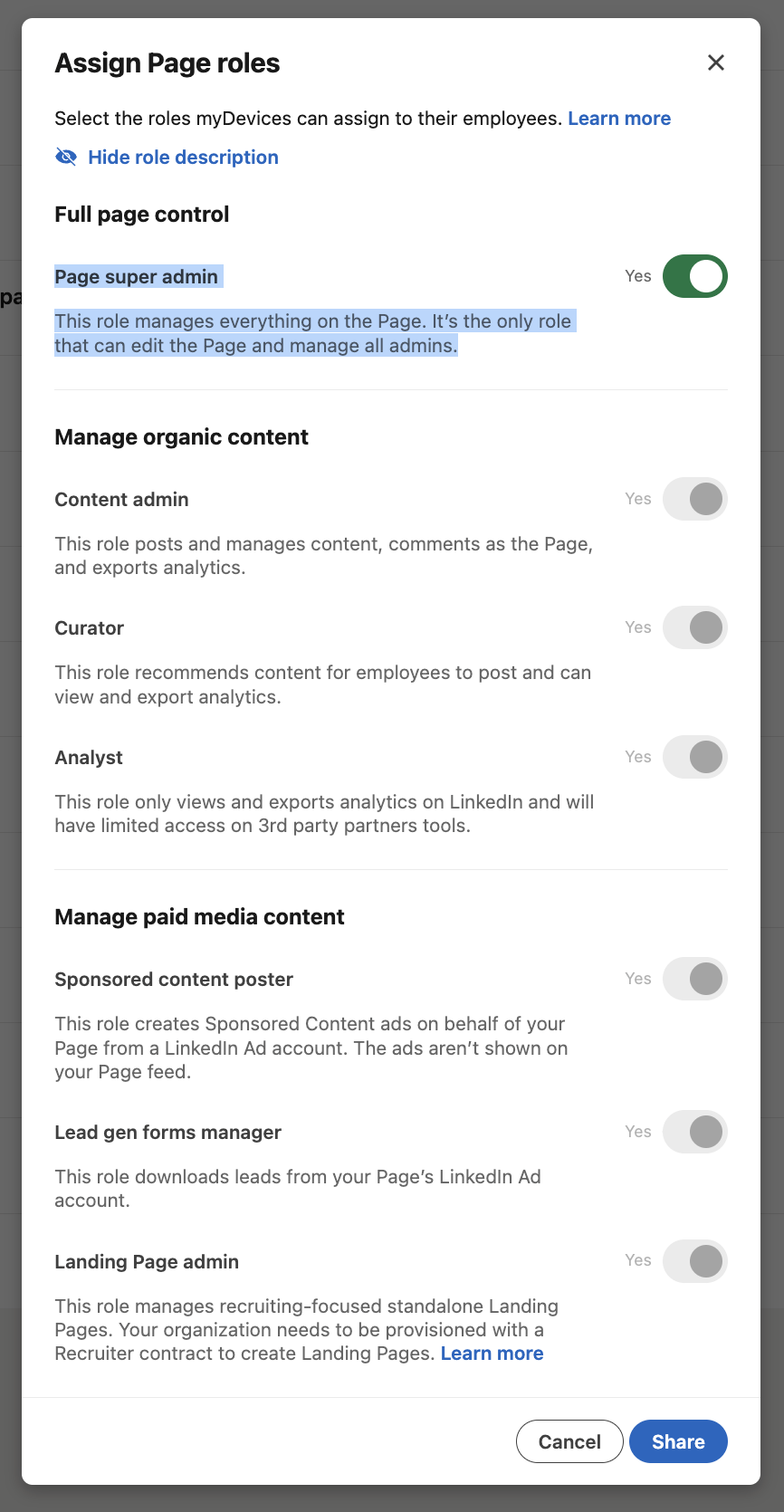
Grant Super Admin Access
- Under Ad accounts > Click Share ad accounts > Account Manager
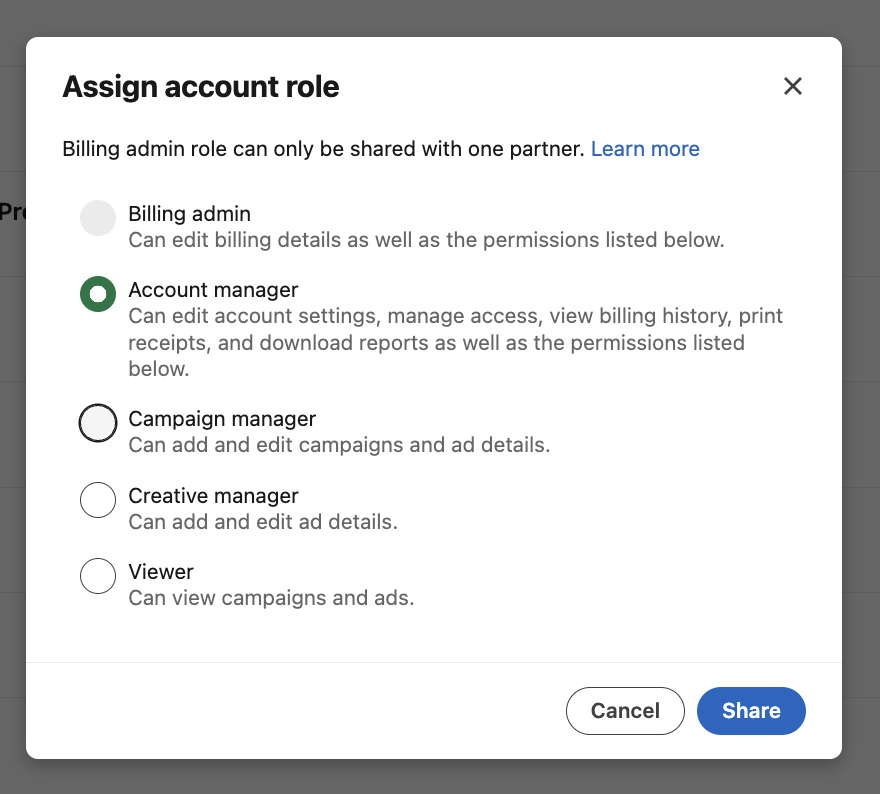
Grant Account Manager Access
Facebook Ads
1. Go to business.facebook.com and login to your Facebook account.
2. Navigate to your Business Settings by clicking on the Gear icon.
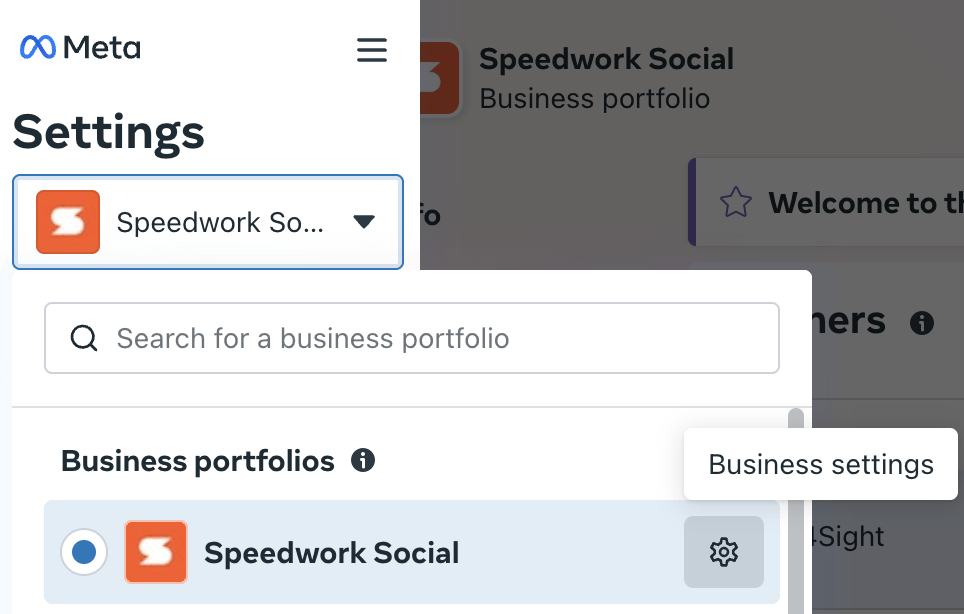
Click the gear icon to navigate to your Business Settings
3. On the Business Settings page, Select Partners > “+ Add” > Give a partner access to your assets.
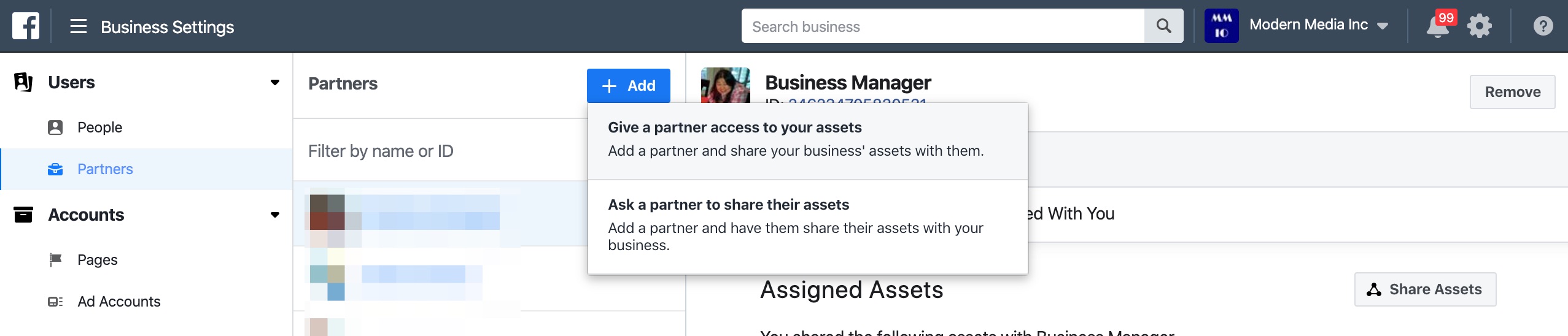
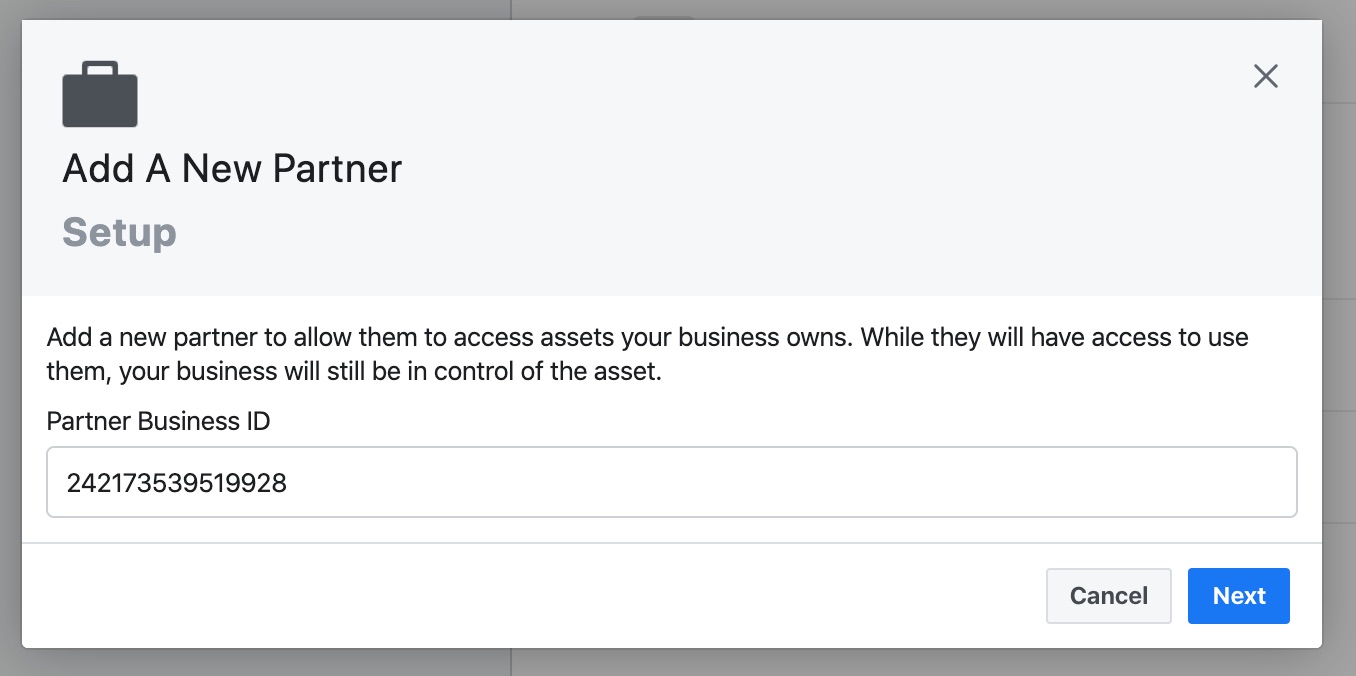
4. Enter Speedwork’s Business Partner ID: 242173539519928 > Next
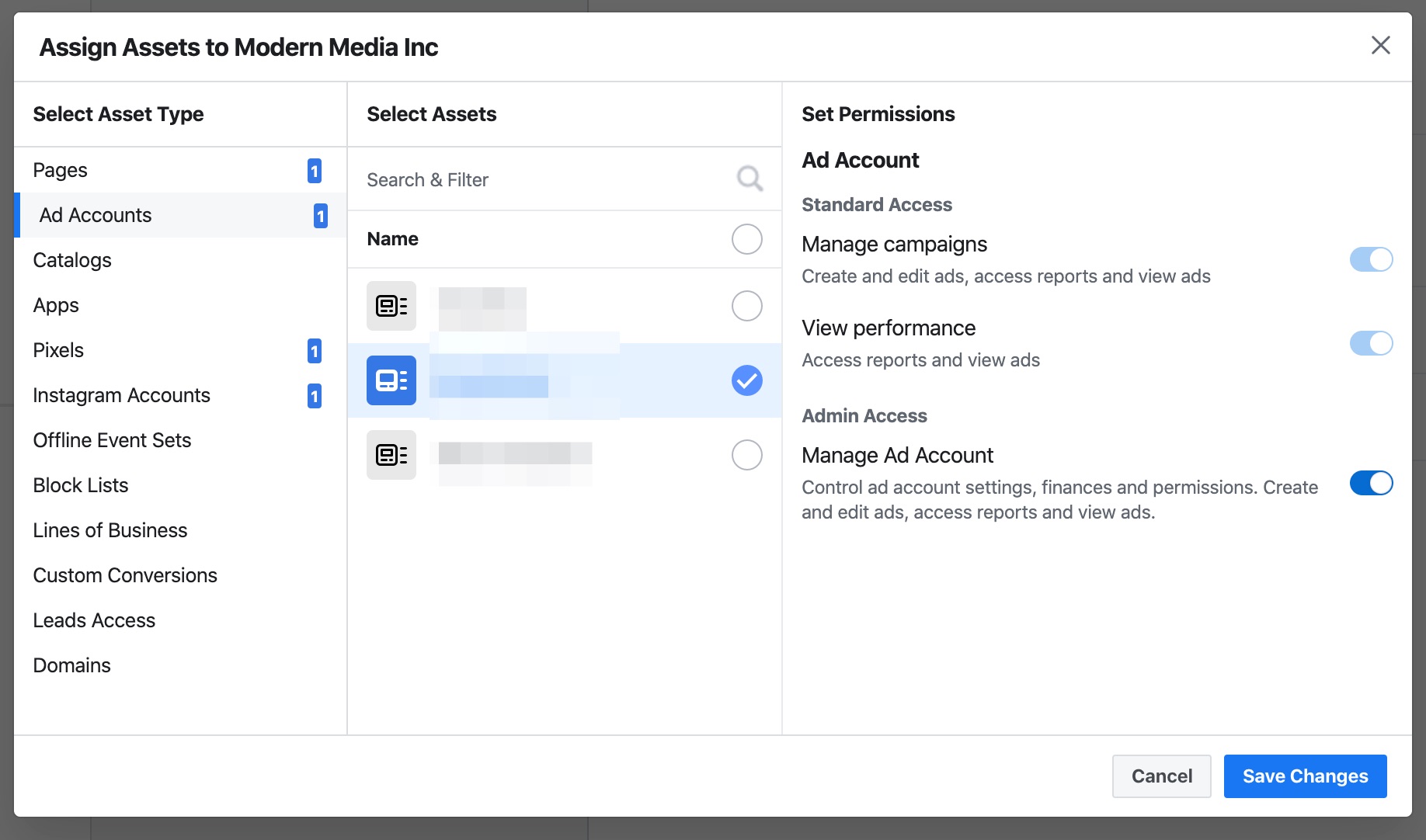
5. Select all the assets your company has (Page, Ad Account, Instagram Account, and Pixel are most common) > Save Changes. Please grant full Admin access.
Google Ads
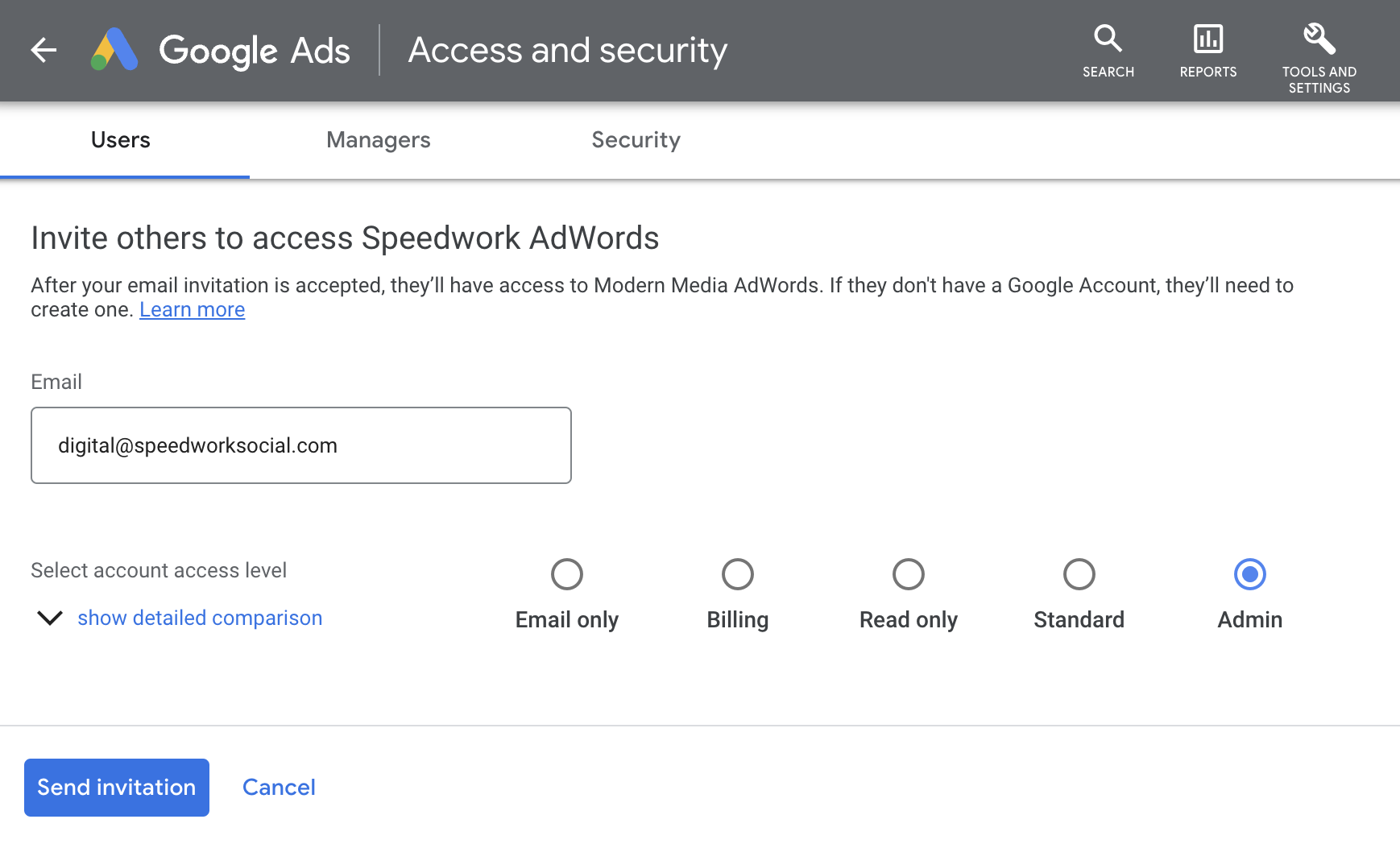
1. Navigate to ads.google.com and login to your account
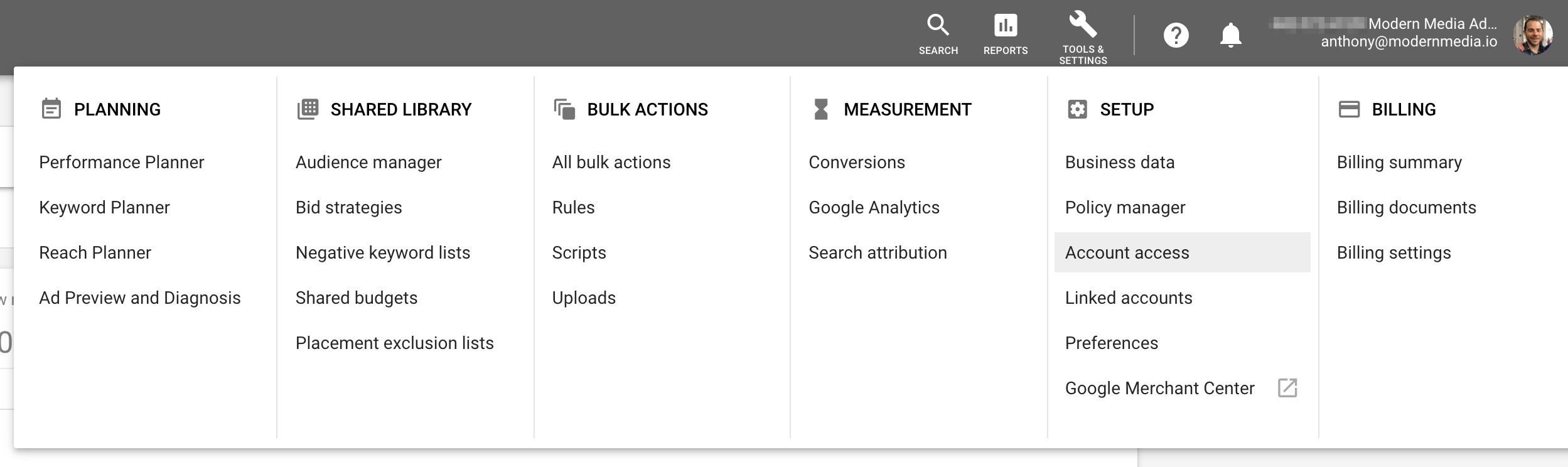
2. Navigate to Tools & Settings > Account Access
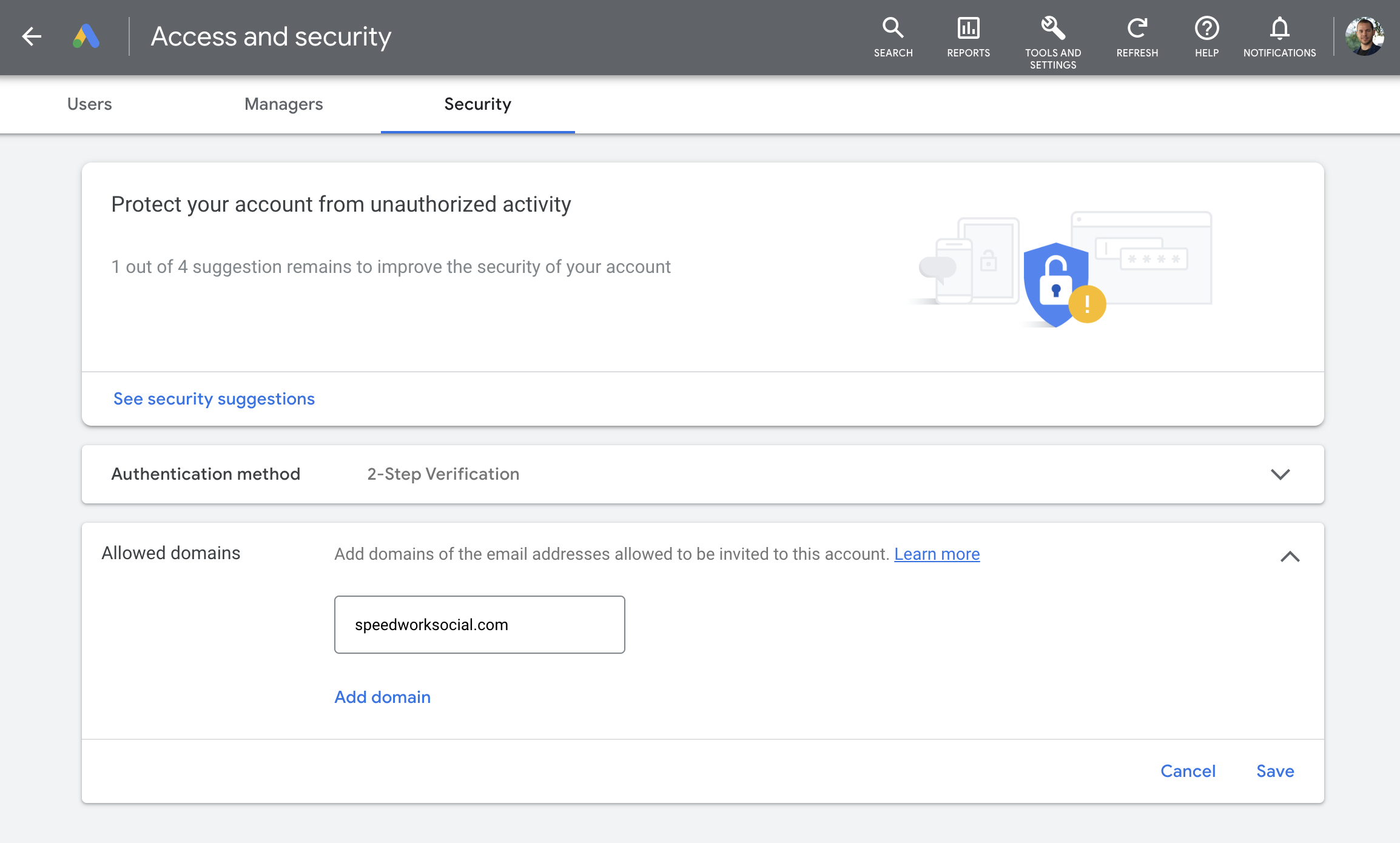
3. Go to Security Settings > Allowed domains > Add speedworksocial.com > Save
4. Go to Users > Add anthony [at] speedworksocial.com and molly [at] speedworksocial.com as an Admin (we will add our Google Ads MCC Manager Account to add our team – if this is an audit, Ready only is sufficient)
Google Analytics
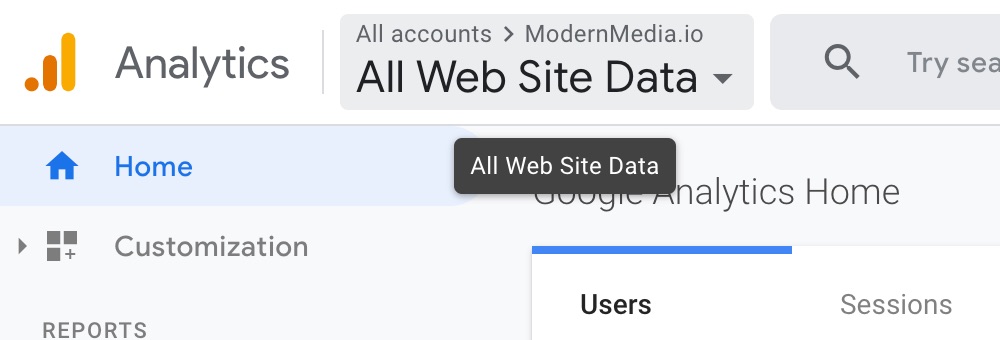
1. Navigate to analytics.google.com and login to your account.
2. Select your analytics account.
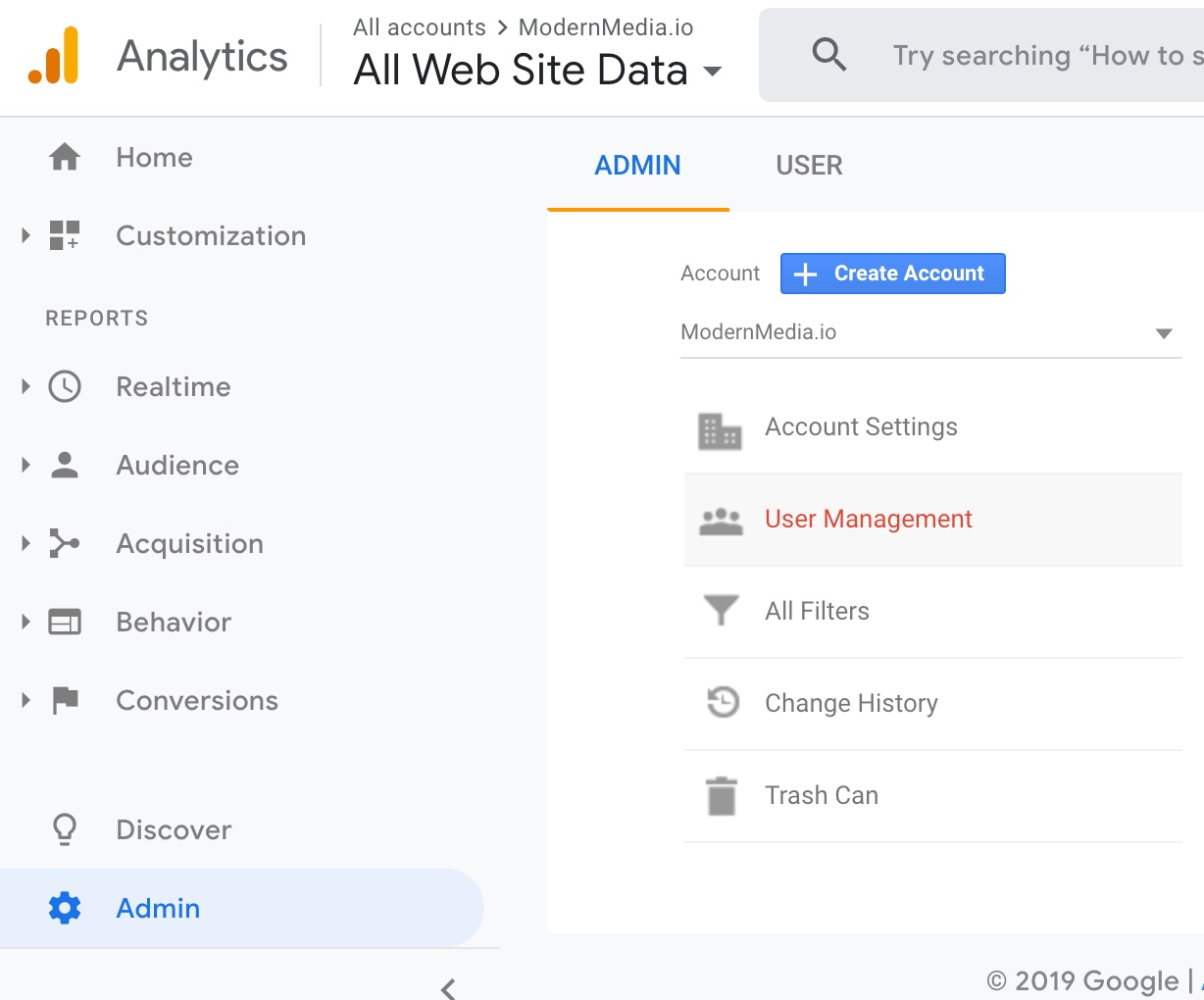
3. Go to the Admin page > User Management
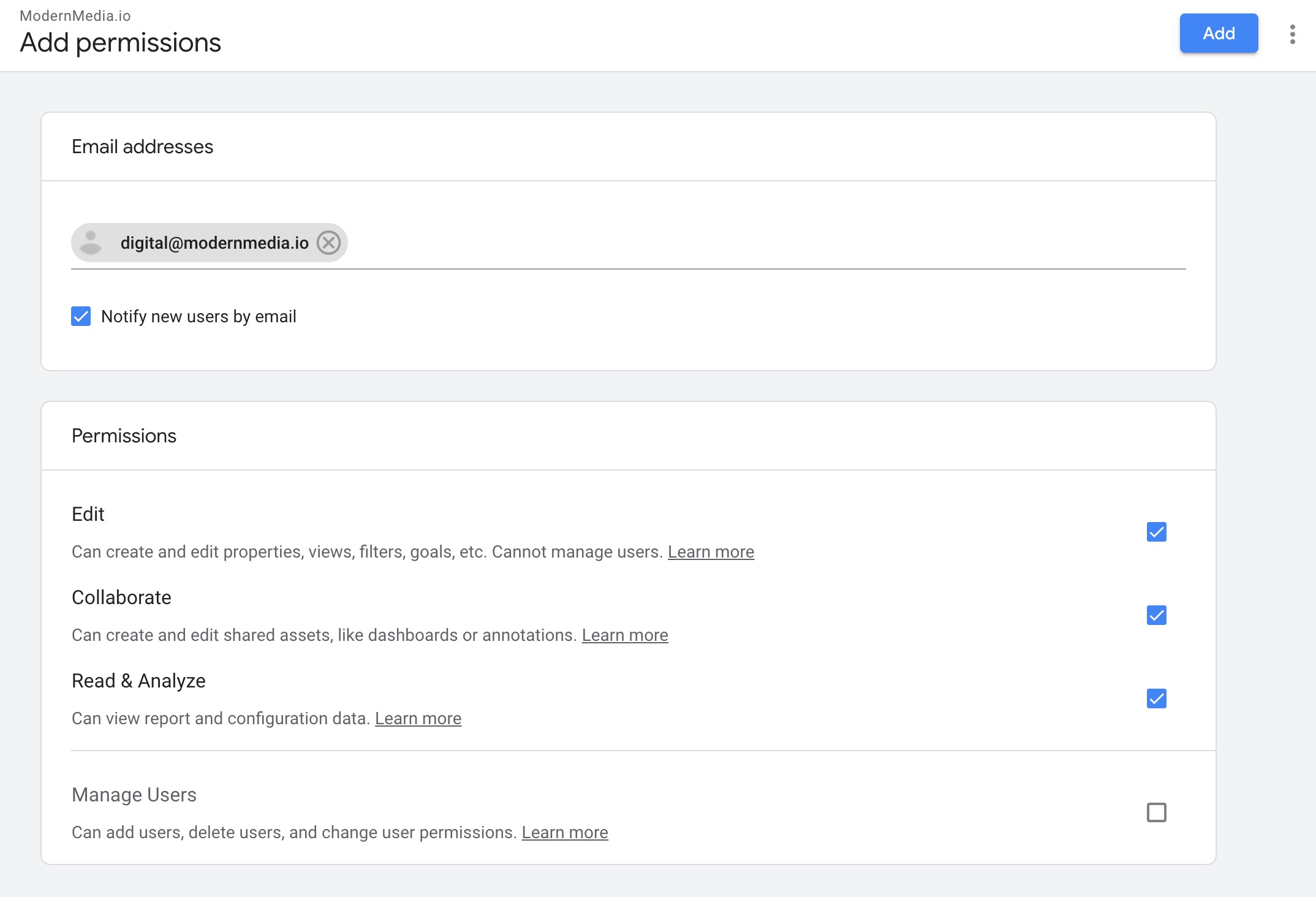
4. Click on the “+” (top right) > Add users

5. Add digital@speedworksocial.com with Edit access (so that we can configure properly) > Save
Google Tag Manager
1. Navigate to tagmanager.google.com and login to your account.
2. Select your account > Settings.

3. Select User Management.

4. Select “+” > Add users.

5. Email: digital@speedworksocial.com
6. Check Administrator box.

7. Set Container permissions to Publish.

8. Click Invite to send the invite!
HubSpot
1. Speedwork is an official HubSpot Partner so you can add us for free, without paying for a Seat in HubSpot.
2. To do so, have an Admin click our Partner Access Link and add us as a Partner Admin.
Speedwork’s HubSpot Partner Access Link: https://app-na2.hubspot.com/l/settings/users/partnerInviteLink/MjQ0MzM5OTI2PTI0OTQ3NTcx
*Notify us any whenever making a change to your HubSpot subscription. Having a Partner can help ensure you get the best deal, and at times help waive certain fees.